




Best IPTV App for Smart TV (2026)
What is the best IPTV app for your Smart TV? Compare TiviMate, IBO Player, SmartOne, Smarters Pro, and SS IPTV for Samsung, LG, and Android TV.
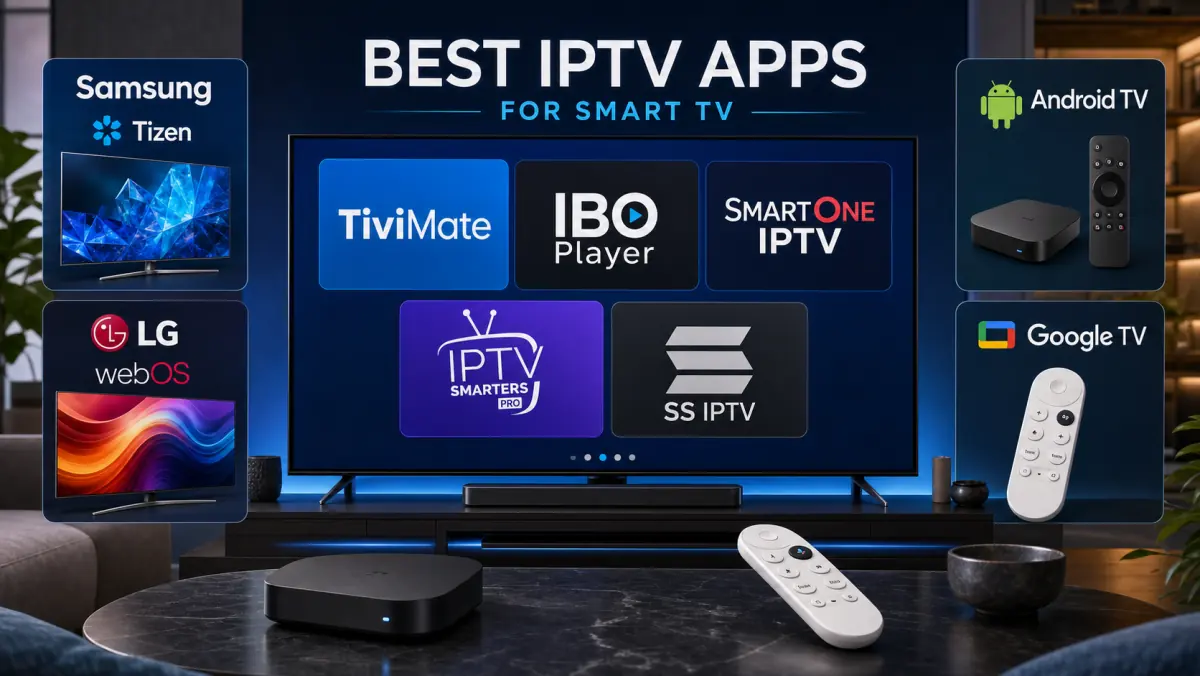
Best IPTV App for Smart TV in 2026: Samsung, LG & Android TV
You have an IPTV subscription and you are ready to start watching.
Then the next question usually appears:
Which IPTV app should you install on your Smart TV?
Search for “IPTV” in your television’s app store and you may see dozens of results. Many of the names look similar, most apps promise the same features, and some only reveal their limitations after you install them.
There is also no single best IPTV app for every television.
An app that works perfectly on Android TV may not be available on Samsung at all. A simple player on LG may be a better choice for someone who does not need advanced settings.
That is why this guide compares the most popular IPTV apps by platform.
We look at:
- ease of use;
- M3U and Xtream Codes support;
- electronic program guide features;
- channel-switching speed;
- support for movies and series;
- remote-control navigation;
- compatibility with Samsung, LG, Android TV, and Google TV;
- buffer, player, and subtitle settings.
By the end, you will know which app best matches your television and how to avoid installing the wrong player.
Important: An IPTV app is only a media player. The app itself normally does not provide channels, movies, or a subscription. You need separate, lawfully obtained login details or a playlist.
Quick Answer: Which IPTV App Is Best?
Do you want the practical recommendation immediately?
Start with these options:
- Android TV or Google TV: TiviMate
- Samsung Smart TV: IBO Player or SmartOne IPTV
- LG Smart TV: IBO Player or SmartOne IPTV
- Simple option for beginners: Smarters Pro
- Basic playlist player: SS IPTV
- Older or slower Smart TV: An external Android TV box with TiviMate
For many Android TV users, TiviMate is the most complete choice. It is designed for large television screens and remote-control navigation.
If you own a Samsung or LG television, you usually cannot install TiviMate directly on the TV. Samsung uses Tizen, while LG uses webOS. In that case, IBO Player and SmartOne IPTV are more practical.
The final choice depends on your television, your experience level, and the type of login details your IPTV provider gives you.
Why Your Smart TV Platform Determines the App
“Smart TV” is not a single operating system.
Different television brands use different software.
Samsung Uses Tizen
Most modern Samsung Smart TVs run Tizen.
You install apps through the Samsung App Store. Android apps from the Google Play Store cannot be installed directly on Tizen.
An Android APK file therefore will not work on a standard Samsung Smart TV.
LG Uses webOS
LG televisions use webOS.
You are limited to the apps available through the LG Content Store. Availability may vary by model, year, and region.
Sony, Philips, TCL, and Other Brands May Use Android TV or Google TV
Many televisions from Sony, Philips, TCL, and other manufacturers use Android TV or Google TV.
These devices usually provide access to the Google Play Store, giving you a wider range of IPTV apps, including TiviMate.
However, not every model from these brands uses Android TV or Google TV. Always check the operating system of your specific television.
Hisense Often Uses VIDAA
Many Hisense televisions run VIDAA, although some models use Google TV or another platform.
If your TV uses VIDAA, the IPTV app must be available in the VIDAA app store.
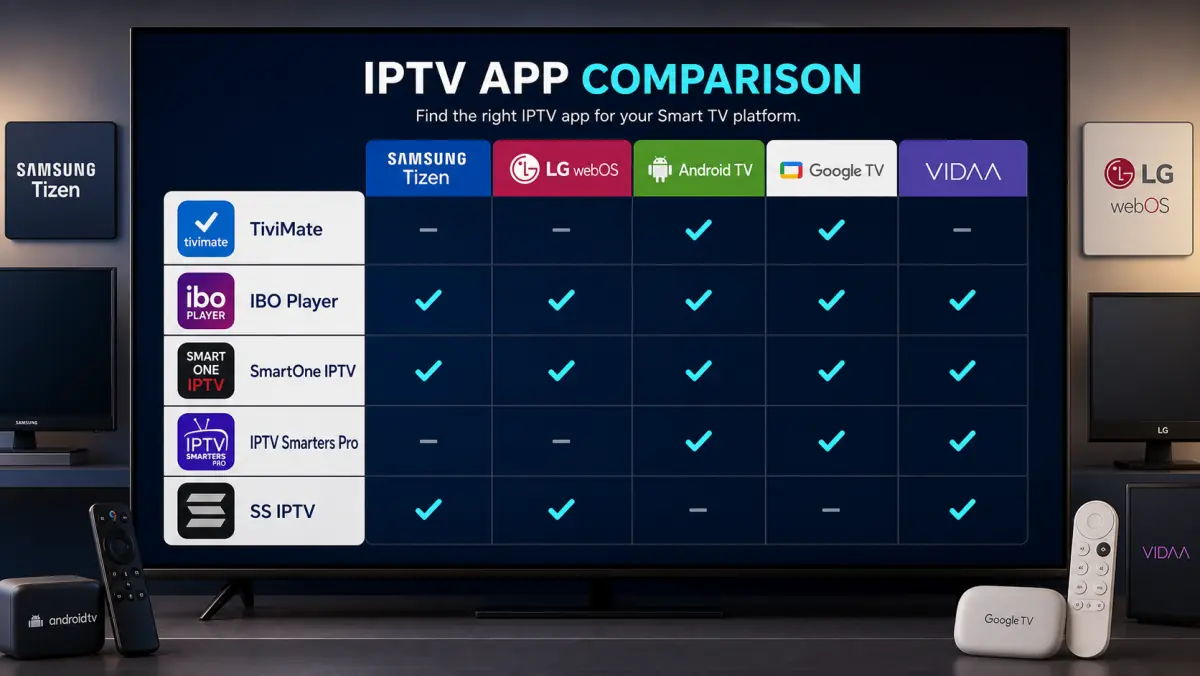
Comparison: The Best IPTV Apps for Smart TV
This table gives you the general direction, but it does not tell the whole story.
Let us look at each app in more detail.
1. TiviMate: Best Choice for Android TV and Google TV
Do you use Android TV, Google TV, Nvidia Shield, Chromecast with Google TV, or a compatible Android TV box?
TiviMate is usually the first app worth considering.
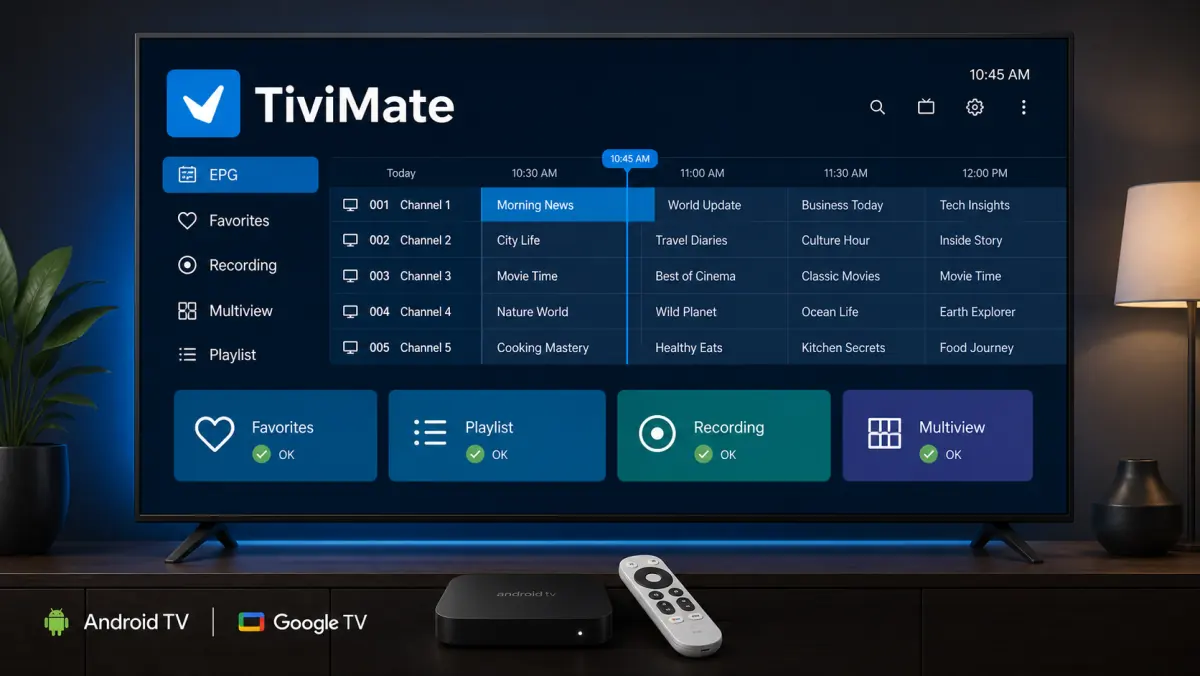
Its interface is designed specifically for television screens. You navigate with the remote control and get an electronic program guide that feels similar to a traditional TV receiver.
TiviMate supports common methods such as:
- M3U playlists;
- Xtream Codes;
- Stalker Portal;
- electronic program guides;
- multiple playlists;
- favorites;
- channel and program search;
- catch-up when supported by the provider;
- recording on supported devices and configurations;
- multiview for watching several channels at once.
Why TiviMate Feels Better on a Television
Many IPTV apps were originally designed for phones and later adapted for televisions.
TiviMate feels as though it was built for a remote control from the beginning.
Channels are arranged into clear categories. The EPG is easy to access, and you can hide groups you do not want to see.
This is especially useful when your playlist contains a large number of channels.
Instead of scrolling through hundreds of categories, you can keep only the groups you actually use.
Free or Premium
TiviMate includes basic functionality, while several advanced features belong to the Premium version.
The exact free features and license options may change, so always check the current details in the official app store.
Who Should Not Choose TiviMate?
TiviMate is not a native Samsung Tizen or LG webOS app.
You cannot simply install it directly on every Samsung or LG television.
If you want to use TiviMate on one of these TVs, connect an Android TV box, Google TV Streamer, Chromecast with Google TV, or a similar device through HDMI.
2. IBO Player: A Strong Choice for Samsung and LG
IBO Player is useful when you need an IPTV player that works directly on several Smart TV platforms.
Depending on the current version and app-store availability, IBO Player may support devices such as:
- Samsung;
- LG webOS;
- Android TV;
- Sony televisions;
- Apple TV;
- Roku;
- Windows devices.
The exact availability depends on your television model, region, and app store.
How Does IBO Player Work?
After installation, the app usually displays a device ID or similar identifier.
You then use the app’s management portal to connect your M3U or M3U8 playlist to that device.
After refreshing the app on your television, the content loads.
The app itself does not sell a television package. You add the credentials or playlist provided by your own IPTV service.
Advantages of IBO Player
- Works on several Smart TV platforms.
- Relatively simple interface.
- Suitable for live television, films, and series.
- Supports common playlist formats.
- Useful for people who do not want to connect an external Android box.
- Playlist details can often be managed through a browser instead of typing long URLs with a remote control.
Possible Disadvantages
After the trial period, you may need to purchase an app license.
That fee is separate from your IPTV subscription.
You may therefore pay separately for the media player and for the service that supplies your playlist or login details.
Also make sure you install the official version. Several apps use similar names.
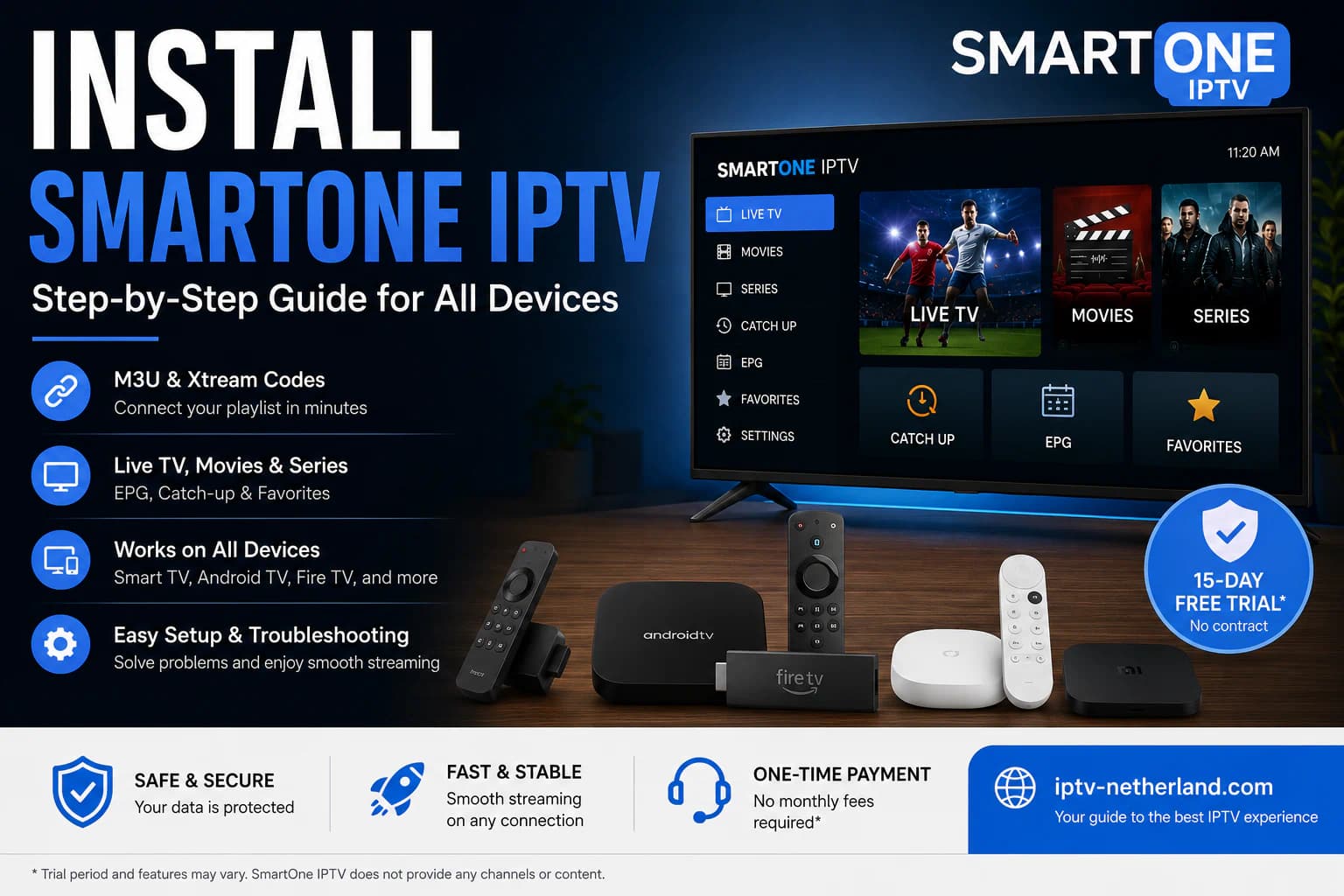
3. SmartOne IPTV: Suitable for Multiple Smart TV Platforms
SmartOne IPTV is another strong option for televisions where TiviMate is not available directly.
Depending on current support, the app may work on platforms including:
- Samsung Tizen;
- older Samsung Orsay models;
- LG webOS;
- older LG Netcast models;
- VIDAA OS;
- other Smart TV platforms.
SmartOne supports options such as M3U playlists and Xtream-style login methods.
Why SmartOne IPTV Can Be Useful
The app is designed for television screens and remote-control navigation.
You can manage live channels, films, series, and favorites in one interface.
Another benefit is the ability to connect playlists to your device through an online management page.
This is often faster than entering a long URL manually with the remote control.
SmartOne may also offer tools for managing several televisions. That can be useful if you use multiple devices at home.
However, managing multiple devices is not the same as watching on all of them simultaneously.
Your IPTV subscription determines how many active streams are allowed. The app cannot increase that limit.
Possible Disadvantages
Available features may differ between television models and years.
A newer Samsung or LG television may support more video formats than an older model.
The app may also be easy to find in one region and unavailable in another. Check your television’s app store first.
4. Smarters Pro: Easy for Beginners
Smarters Pro is popular with users who want a clear layout for:
- live television;
- movies;
- series;
- catch-up;
- favorites;
- multiple profiles or playlists.
The interface is usually easier to understand than a highly technical player.
You normally enter Xtream Codes details or another supported playlist, and the app organizes the content into categories.
Why Beginners Often Like Smarters
You do not need to adjust dozens of settings before watching.
Live TV, movies, and series are usually displayed as separate sections on the home screen.
That makes the first setup easier.
Smarters-style players are available on Android TV and various other platforms.
Be Careful With Similar App Names
Search for “IPTV Smarters” in an app store and you may find several apps with almost identical names.
They are not necessarily made by the same developer.
Some copies contain heavy advertising or request unnecessary permissions.
Check:
- the developer name;
- the official logo;
- recent update history;
- privacy policy;
- requested permissions;
- reviews specifically mentioning the television version.
Do not enter your IPTV credentials into a random app.
5. SS IPTV: A Simple Player for Playlists
SS IPTV is a long-standing playlist player available on selected Smart TV platforms.
The app mainly focuses on loading and managing your own playlists.
Using a connection code, you can link a playlist to the television through a web editor. This is easier than typing a long M3U URL with the remote control.
Advantages
- Relatively simple interface.
- Suitable for M3U playlists.
- Playlist management through a browser.
- May support EPG, audio tracks, and subtitles.
- Can be useful on certain older televisions.
Disadvantages
Installation differs by brand and model.
On some LG televisions, the app may be available through the official app store. On certain Samsung models or in specific regions, installation may follow a different process.
Always check the latest instructions from the official developer for your television.
SS IPTV is best for users who want a simple playlist player. For advanced management and a modern TV guide, TiviMate on Android TV may be more comfortable.
Best IPTV App for Samsung Smart TV
For Samsung Smart TV, IBO Player and SmartOne IPTV are usually the most practical choices.
Both are designed for Smart TV platforms and can be used with the television remote on supported Samsung models.
Choose IBO Player When:
- you want a simple interface;
- you prefer adding the playlist through a web portal;
- you want live TV, movies, and series organized clearly;
- you may use the same app on other devices.
Choose SmartOne IPTV When:
- you want to manage several televisions;
- your provider supplies Xtream Codes or M3U details;
- you need support for an older Samsung platform;
- you prefer managing settings through an online portal.
Choose an Android TV Box When:
- the Samsung app feels slow;
- the app you want is unavailable in your region;
- your television is old;
- you specifically want to use TiviMate;
- the television struggles with certain video or audio formats.
An external box can extend the useful life of an older television. The TV only needs to display the picture and play the sound.
Best IPTV App for LG Smart TV
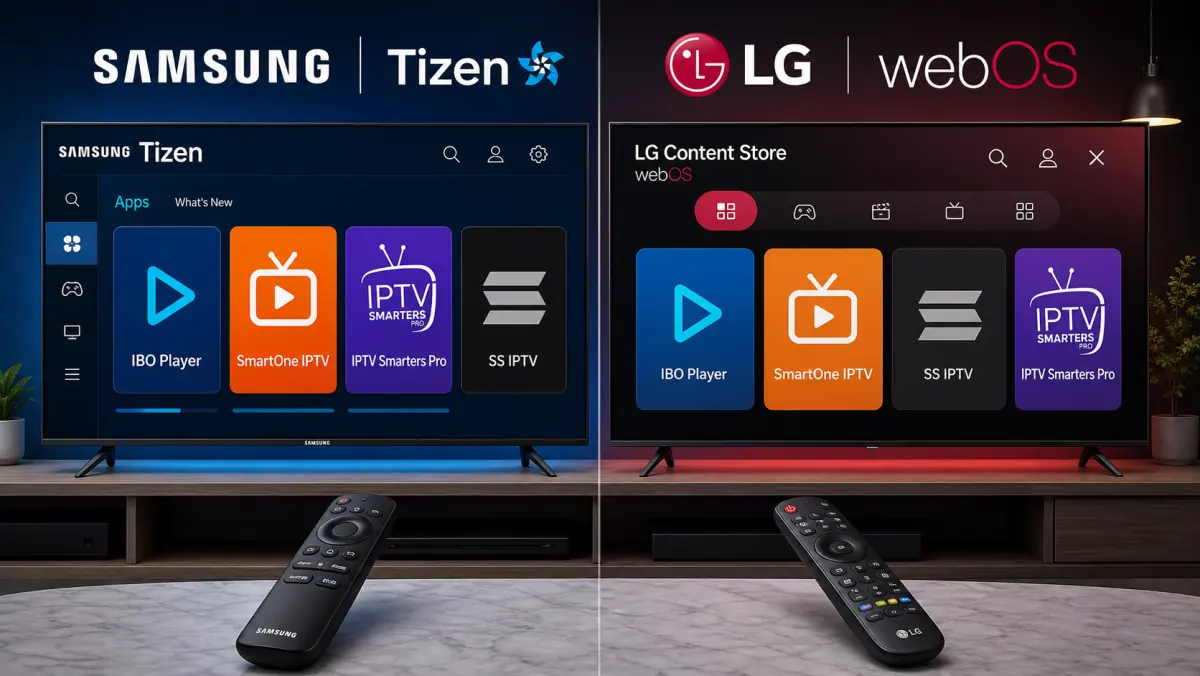
For LG webOS, IBO Player and SmartOne IPTV are also strong options.
The best choice depends on the television’s year and the version available in the LG Content Store.
IBO Player Is Suitable When:
- you want to start quickly;
- you prefer a simple playlist-linking process;
- you do not need many technical settings.
SmartOne IPTV Is Suitable When:
- you want more management options;
- you use several devices;
- your LG model supports the app.
SS IPTV May Be Useful When:
- you only need to load an M3U playlist;
- you want a simple player;
- your older LG model supports the app.
If an app performs poorly on an older LG television, test an external Android TV or Google TV device.
Best IPTV App for Android TV and Google TV
For Android TV and Google TV, TiviMate is our first recommendation.
It combines a strong EPG, clear remote-control navigation, and detailed settings.
Other options include:
- Smarters Pro for a simpler layout;
- Televizo for users who want a flexible playlist player;
- IBO Player if you prefer the same interface across several platforms;
- SmartOne IPTV if you already use it on other televisions.
When Is Smarters Better Than TiviMate?
Smarters may be more comfortable if you mainly watch movies and series and prefer a home screen with clear sections.
TiviMate feels more like a traditional television receiver and is especially strong for live television and EPG use.
When Do You Not Need an External TV Box?
If your television already runs Android TV or Google TV and the app performs smoothly, an extra box is usually unnecessary.
An external device is mainly useful when:
- the built-in hardware feels slow;
- the television has limited storage;
- apps freeze regularly;
- the model no longer receives updates.
Best IPTV App for Hisense and VIDAA
If you own a Hisense television, check its operating system first.
Some Hisense televisions run VIDAA, while others use Google TV.
With Google TV
Choose TiviMate or another Android TV app from the Play Store.
With VIDAA
Search the VIDAA app store for a supported player, such as SmartOne IPTV when available for your model.
IBO Player may also be available on certain models and platforms.
The app store, region, and television year determine what you can install directly.
If you cannot find a suitable app, an external Android TV box is the simplest solution.
What Should a Good IPTV App Offer?
The app name matters less than the features you actually use.
Look for the following.
Support for Your Login Method
Ask your provider which details you will receive.
Common options include:
- Xtream Codes;
- M3U;
- M3U8;
- Stalker Portal;
- a device- or MAC-based portal.
Not every app supports every method.
A Good EPG
An Electronic Program Guide shows what is currently playing and what comes next.
A good EPG should load quickly, be easy to read, and match the correct programs to the correct channels.
Remember that the app cannot create missing program data. Quality also depends on the information supplied by the provider.
Favorites and Hidden Categories
A large playlist may contain hundreds or thousands of channels.
Favorites and hidden groups let you keep only the channels you actually use.
Good Remote-Control Navigation
A television app should work properly without a mouse or touchscreen.
The back, up, down, and OK buttons should behave logically.
Subtitle and Audio-Track Support
If you watch international movies or multilingual channels, make sure the app allows you to select subtitles and alternative audio tracks.
External Player Support
Some apps allow VLC or another video player.
This can help when the built-in player struggles with a particular format.
Buffer Settings
An adjustable buffer can absorb brief network interruptions.
However, a larger buffer may make channel switching slower. It cannot fix a poor source stream.
Updates and Support
Choose an app that is still actively updated and provides clear support information.
Old apps may stop working correctly with newer television models, secure connections, or modern video formats.
Free or Paid IPTV App?
A free app is not automatically better or worse.
Paid players often provide:
- fewer advertisements;
- support for more playlists;
- advanced EPG tools;
- recording;
- synchronization;
- better favorites management;
- multi-device management;
- more interface customization.
A basic free player may still be enough if you only watch a small number of channels.
Remember that the app license is separate from your IPTV subscription.
Paying the app developer normally does not give you access to channels. The media player and the television service are two different products.
How to Install an IPTV App on Your Smart TV
The exact steps vary by brand, but the process usually looks like this:
- Open your television’s app store.
- Search for the exact IPTV app name.
- Check the developer and logo.
- Install the app.
- Open the player.
- Note any device ID or MAC address shown by the app.
- Add your login details through the app or its official management portal.
- Refresh the app.
- Allow the channels and EPG to load completely.
- Create a favorites list.
Only enter your details on the app’s official portal.
Check the domain name carefully before linking a device ID and playlist. Some websites copy the names of popular IPTV apps.
At iptv-netherland.com, we help customers with the installation and configuration of their devices, so they do not need to figure out which app and login method match their television.
Common Mistakes When Choosing an IPTV App
Trying to Install an Android App on Samsung or LG
Samsung Tizen and LG webOS cannot run normal Android APK files.
Use a native app from the television’s app store or connect an Android TV box.
Assuming the App Includes Channels
Most IPTV players do not provide content.
You must add your own lawfully obtained playlist or login details.
Installing a Copy With the Same Name
Popular app names are often copied by other developers.
Always check the developer before entering your credentials.
Looking Only at the Number of Features
An app with dozens of features may perform poorly on an older television.
Choose the player that runs reliably on your device, not automatically the one with the longest feature list.
Blaming the App for Every Buffering Problem
Buffering may also be caused by:
- unstable Wi-Fi;
- server load;
- a bitrate that is too high;
- a slow device;
- network problems;
- an issue with one specific channel.
Read our guide on watching IPTV without buffering if the app opens but playback frequently freezes.
What If No IPTV App Works Properly?
Do several apps all perform badly on the same television?
The player may not be the real problem.
Check:
- Internet speed and stability.
- Available storage space.
- The age of the television.
- Software updates.
- Whether the same playlist works on another device.
- Whether the channel source is available.
- Whether the account is already active elsewhere.
If the same playlist works well on your phone or laptop but not on the television, the Smart TV may be too old or too slow.
An external Android TV box is often cheaper than replacing the television.
If IPTV does not work at all, follow our complete guide: IPTV not working: causes and solutions.
Frequently Asked Questions
What Is the Best Free IPTV App for Smart TV?
It depends on the operating system.
On Android TV, TiviMate offers basic functions, while more advanced features may require Premium. SS IPTV can be a simple option on supported televisions.
Always check the current terms in the official app store.
What Is the Best IPTV App for Samsung TV?
IBO Player and SmartOne IPTV are usually good choices for supported Samsung models.
If you want to use TiviMate, you need an external Android TV or Google TV device.
What Is the Best IPTV App for LG TV?
IBO Player and SmartOne IPTV work on supported LG webOS models. SS IPTV may be a simpler alternative on certain LG televisions.
Can I Install TiviMate on Samsung?
Not directly on a standard Samsung Tizen television.
TiviMate is designed for Android TV. You can use it through an external Android TV box or Chromecast with Google TV connected to the Samsung television.
Can I Install TiviMate on LG?
Not directly on LG webOS.
Use a native LG app such as IBO Player or SmartOne IPTV, or connect an external Android TV device.
Does an IPTV App Provide Free Channels?
Normally, no.
An IPTV app is a media player. You add your own lawfully obtained login details or playlist.
Can I Use the Same App on Multiple Televisions?
That depends on the app license.
Your IPTV subscription also determines how many devices can stream at the same time. Installing the app on several televisions does not automatically allow simultaneous viewing.
Which App Is Easiest for Beginners?
IBO Player and Smarters Pro are often easy to understand.
The best choice still depends on which apps are available on your television and which login method your provider uses.
Does the IPTV App Affect Picture Quality?
The source stream and your internet connection determine most of the picture quality.
The app can still affect video decoding, stability, subtitles, and how your device processes the stream.
Conclusion: Choose the App That Matches Your Television
The best IPTV app for Smart TV is not the same for everyone.
If you use Android TV or Google TV, TiviMate is one of the most complete options for many users.
If you own a Samsung or LG television, start with IBO Player or SmartOne IPTV.
If you prefer a simple interface for live TV, movies, and series, Smarters Pro may be a good choice.
If you only need a basic playlist player, SS IPTV may be worth considering on a supported television.
Before installing an app, always check:
- your television’s operating system;
- which apps are available in your region;
- the login method used by your provider;
- the official developer;
- any app-license fees;
- the number of simultaneous connections included with your subscription.
At iptv-netherland.com, we help customers not only access IPTV but also complete the installation and configuration of their devices.
Would you like to test which app works best on your television first?
Compare our IPTV subscriptions, view the Dutch IPTV channel list, or request a free trial account.
Still not sure how IPTV works? Start with our guide: What is IPTV?.
Written by
IPTV Netherland Editorial Team
IPTV setup and streaming support
Our editorial team writes practical IPTV guides for viewers in the Netherlands, with a focus on device setup, stable streaming, app configuration, and clear troubleshooting steps.
Useful IPTV resources
Continue with the most relevant setup, channel, and subscription pages.