




Best IPTV Box of 2026: Top 6 for TiviMate, 4K & Smart TV
What is the best IPTV box in 2026? Compare Google TV Streamer, NVIDIA Shield, Formuler, Xiaomi, Fire TV, and Apple TV for IPTV, 4K, and TiviMate.
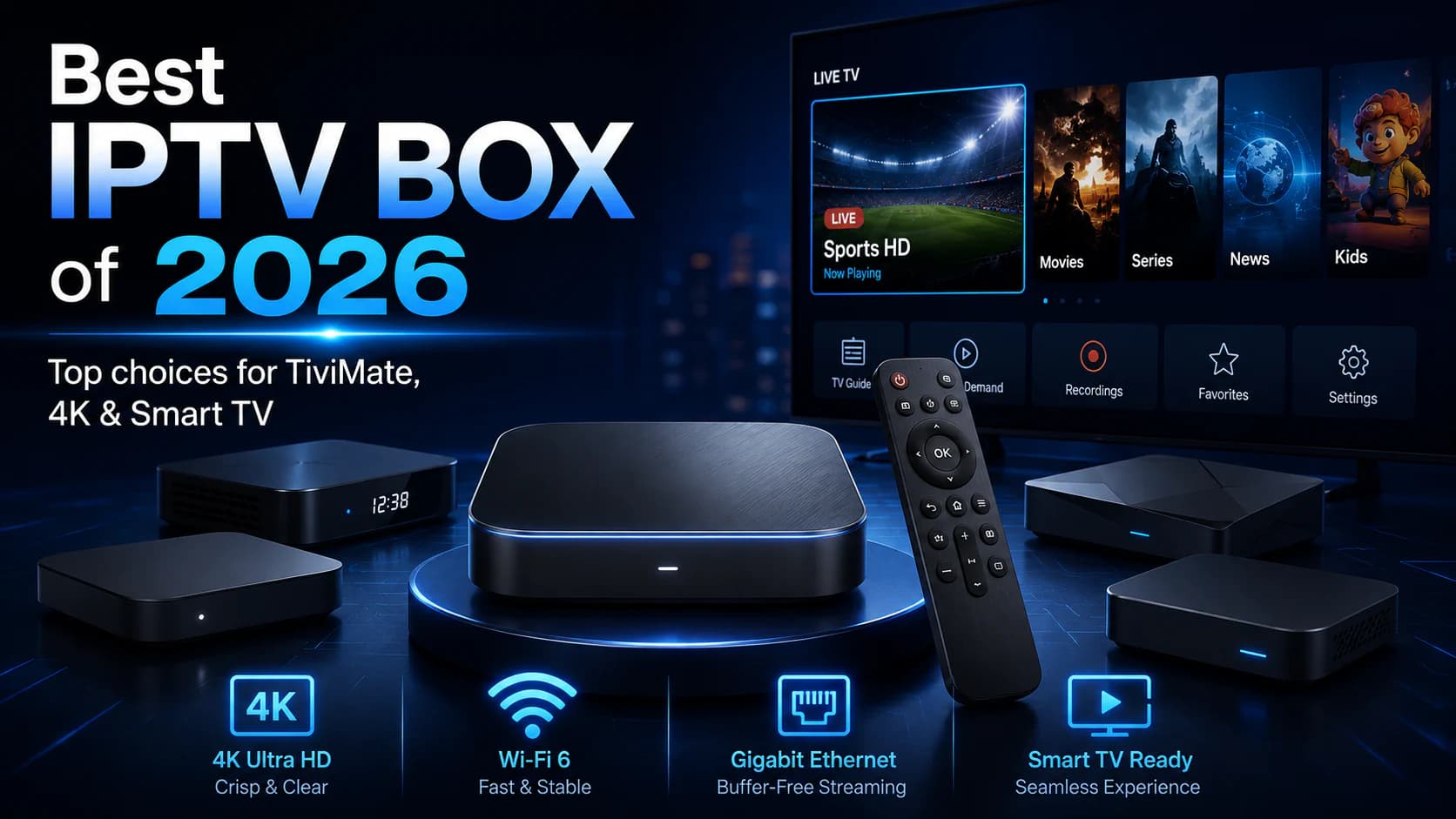
Best IPTV Box of 2026: Top 6 for TiviMate, 4K & Smart TV
Which IPTV box should you buy?
The choice may look simple, but the differences between devices are larger than they first appear.
One inexpensive box may play Full HD without trouble. Another offers more storage, an Ethernet port, and stronger hardware for 4K, recording, or multiview. Some devices let you install TiviMate directly through Google Play, while others use their own dedicated IPTV interface.
You will also find many very cheap Android boxes online advertising impressive specifications and thousands of “free” channels.
Be careful with those offers.
A good IPTV box should not only be fast. It should also:
- use reliable software;
- receive regular updates;
- support your preferred IPTV app;
- work consistently over Wi-Fi or Ethernet;
- decode the required video and audio formats;
- be easy to control with a remote;
- provide enough storage;
- avoid unnecessary security risks.
In this guide, we compare the best IPTV boxes for different types of users.
Our shortlist:
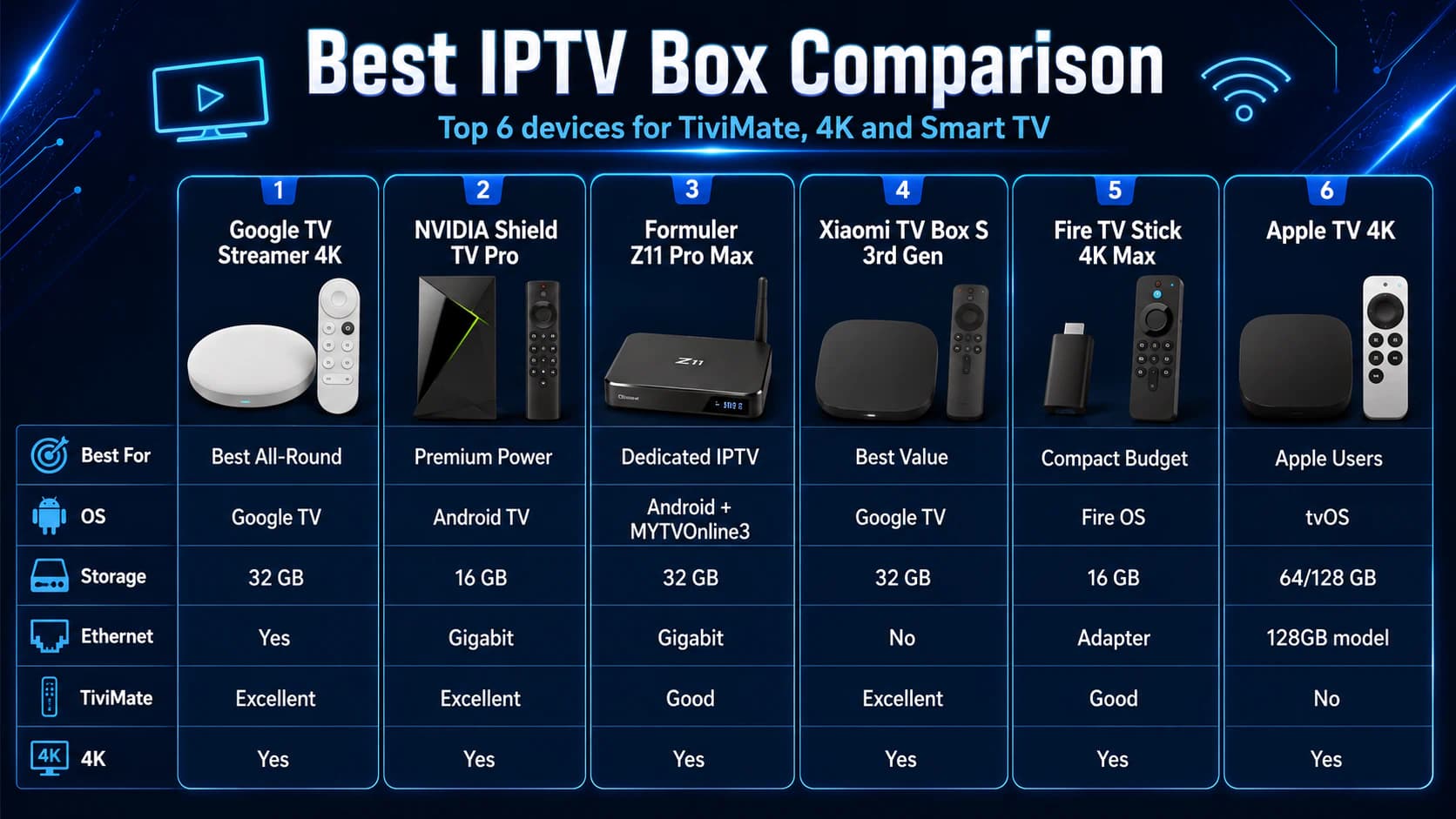
- Google TV Streamer 4K — best choice for most users
- NVIDIA Shield TV Pro — best premium IPTV box
- Formuler Z11 Pro Max — best dedicated IPTV box
- Xiaomi TV Box S 3rd Gen — best value for money
- Amazon Fire TV Stick 4K Max — best compact budget option
- Apple TV 4K — best choice for Apple users
Important: An IPTV box is only hardware. The device normally does not include channels or a subscription. Use only apps, playlists, and login details that you are authorized to access.
Quick Answer: Which IPTV Box Is Best?
For most users, the Google TV Streamer 4K is the best all-round choice.
It combines:
- Google TV;
- access to the Google Play Store;
- 4 GB of memory;
- 32 GB of storage;
- built-in Ethernet;
- 4K HDR;
- Dolby Vision;
- Dolby Atmos;
- support for apps such as TiviMate.
If you want the most powerful and expandable Android TV option, choose the NVIDIA Shield TV Pro.
If you prefer a box designed specifically around IPTV, with its own television-focused interface, the Formuler Z11 Pro Max is more suitable.
If your budget is smaller, the Xiaomi TV Box S 3rd Gen offers Google TV, 4K, Dolby Vision, Wi-Fi 6, and 32 GB of storage at a lower price.
Our recommendation by user type:
If your television already runs Android TV or Google TV and everything works smoothly, you may not need a new box at all.
Start by reading our comparison of the best IPTV apps for Smart TV.
What Is an IPTV Box?
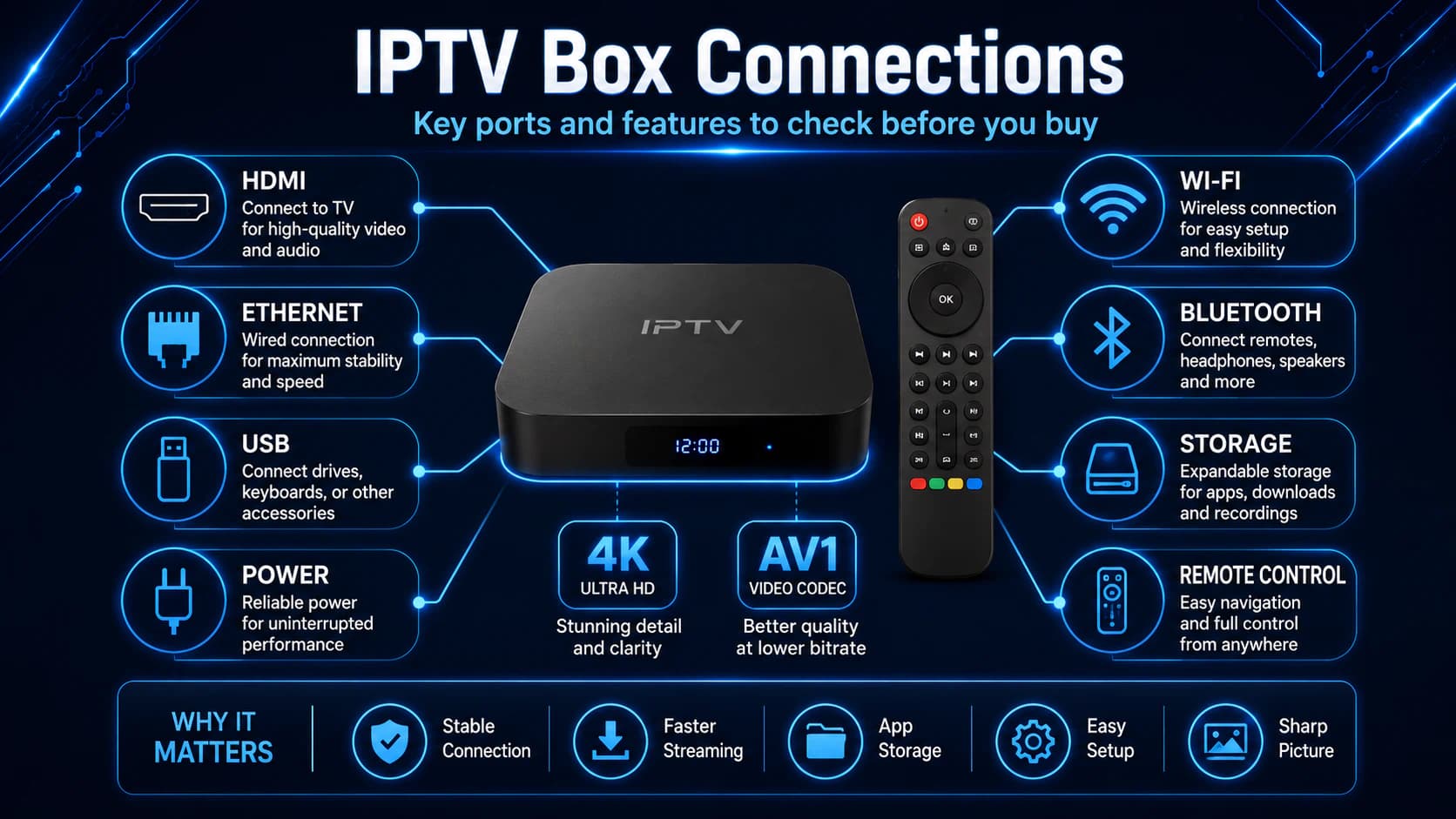
An IPTV box is a compact device that connects to your television through HDMI.
It uses the internet to run apps and play video streams.
The device can make an older television smart or replace the slow software built into an existing Smart TV.
An IPTV box normally includes:
- a processor;
- memory;
- storage;
- Wi-Fi;
- Bluetooth;
- HDMI;
- a remote control;
- an operating system;
- access to applications.
Some models also include:
- Ethernet;
- USB ports;
- microSD;
- voice control;
- Dolby Vision;
- Dolby Atmos;
- recording features;
- built-in IPTV software.
IPTV Box vs. IPTV App
The box is the physical device.
The app is the media player that runs on the device.
Examples include:
- TiviMate;
- IPTV Smarters Pro;
- MYTVOnline3;
- Televizo;
- VLC;
- other M3U or Xtream Codes players.
To compare two of the most popular interfaces, read TiviMate vs IPTV Smarters Pro.
Do You Really Need an IPTV Box?
Not everyone needs a separate device.
You Probably Do Not Need a Box When:
- your television already uses Android TV or Google TV;
- your preferred IPTV app is available;
- the interface responds smoothly;
- Full HD and 4K playback work properly;
- Wi-Fi or Ethernet is stable;
- the television still receives updates.
An External Box Makes Sense When:
- the Smart TV feels slow;
- apps freeze regularly;
- your television does not support a suitable IPTV app;
- you want to use TiviMate on Samsung or LG;
- you need more storage;
- you want Ethernet;
- you plan to record;
- certain codecs do not play correctly;
- the television no longer receives software updates.
A new box is usually much cheaper than replacing the television.
The TV then only needs to display the picture and play the sound.
What Should You Look for in an IPTV Box?
Product packaging often includes many technical terms.
Not every specification is equally important.
1. Operating System and App Store
For most users, Android TV and Google TV are the most flexible choices.
You get access to a television-friendly version of Google Play and can install well-known apps.
A generic, uncertified Android box may use a mobile tablet interface. Apps may then respond poorly to the remote control.
2. Memory
More RAM helps with:
- switching between apps;
- large playlists;
- detailed EPG data;
- multiview;
- smoother menus;
- background processes.
For normal IPTV viewing, 2 GB may be enough.
For heavier use, 3 or 4 GB is more comfortable.
3. Storage
Storage is needed for:
- apps;
- updates;
- cache;
- EPG images;
- downloads;
- temporary files.
Eight gigabytes can fill quickly.
Thirty-two gigabytes is much more comfortable for a modern streaming box.
4. Ethernet
A built-in Ethernet port usually provides the most stable connection.
This is especially useful for:
- 4K;
- live sport;
- long viewing sessions;
- several streams;
- homes with weak Wi-Fi coverage.
For more guidance, read our article about the internet speed required for IPTV.
5. Wi-Fi
Look for support for modern Wi-Fi standards.
Wi-Fi 6 or 6E can provide additional capacity, but only when your router supports the same standard.
The placement of the box and router remains more important than the logo printed on the packaging.
6. Video Formats
A good box should support modern formats such as:
- H.264;
- H.265/HEVC;
- VP9;
- AV1;
- HDR10;
- Dolby Vision, when your television supports it.
AV1 is becoming increasingly relevant for efficient video streaming.
7. Remote Control
A good remote may appear unimportant, but you use it every day.
Look for:
- clear navigation buttons;
- Bluetooth rather than infrared only;
- volume controls;
- television power control;
- a programmable shortcut;
- voice control;
- sensible placement of the back and home buttons.
8. Updates and Certification
A certified device normally provides better support for official streaming apps and DRM.
Widevine L1 is relevant for high resolutions in compatible commercial streaming services.
Do not buy a box only because the package says “8 GB RAM” or “8K.”
Reliable software matters more than exaggerated specifications.
Comparison of the Best IPTV Boxes
Specifications do not tell the whole story.
The best choice depends mainly on the apps you want to use.
1. Google TV Streamer 4K: Best IPTV Box for Most Users
The Google TV Streamer 4K is our overall winner.
It is a sensible choice for users who want a modern, fast, and simple box without immediately buying the most expensive model.
Important features include:
- Google TV;
- 4 GB RAM;
- 32 GB storage;
- built-in Ethernet;
- up to 4K HDR;
- Dolby Vision;
- Dolby Atmos;
- Google Cast;
- Google Play Store;
- programmable button on the remote.
Why Is It the Best All-Round Choice?
The combination of 4 GB RAM and 32 GB storage is generous for normal IPTV applications.
You can install TiviMate, use several streaming services, and still have room for updates.
The built-in Ethernet port is an important advantage.
With many cheaper devices, you need to buy a separate adapter or rely completely on Wi-Fi.
Who Should Choose the Google TV Streamer?
Choose this model when:
- you want to use TiviMate;
- you prefer a clear Google TV interface;
- you combine IPTV with regular streaming services;
- Ethernet matters to you;
- you want enough storage;
- different household members use separate profiles;
- you do not need a highly specialized IPTV receiver.
Possible Disadvantages
- An HDMI cable may not be included.
- It does not offer USB ports like the Shield TV Pro.
- It is not designed around one dedicated IPTV interface.
- For extensive recording, network storage or another box may be more practical.
Our Verdict
For most households, the Google TV Streamer offers the best balance of ease of use, app selection, storage, and network stability.
2. NVIDIA Shield TV Pro: Best Premium IPTV Box
The NVIDIA Shield TV Pro has been available for some time, but it remains one of the most complete Android TV devices.
Important features include:
- NVIDIA Tegra X1+;
- 3 GB RAM;
- 16 GB storage;
- Gigabit Ethernet;
- two USB 3.0 ports;
- 4K HDR;
- Dolby Vision;
- HDR10;
- Dolby Atmos;
- AI upscaling;
- broad video-format support;
- Plex Media Server.
Why Is the Shield Good for IPTV?
The Shield suits users who do more than open a single stream.
Examples include:
- using several apps;
- loading very large playlists;
- running TiviMate Premium;
- using multiview;
- connecting network storage;
- connecting USB storage;
- recording;
- playing local media;
- using Plex;
- cloud gaming.
The two USB ports provide flexibility that many newer streaming boxes lack.
AI Upscaling
The Shield can present lower-resolution content more sharply on a 4K television.
It does not turn a poor SD source into genuine 4K, but it can make HD material look cleaner on a large display.
Who Should Choose the Shield TV Pro?
Choose the Shield when:
- performance matters more than price;
- you want to connect external storage;
- you use Plex;
- you play many different video formats;
- you record or use multiview;
- you want a fast wired connection;
- you need a powerful all-in-one media device.
Possible Disadvantages
- Higher price.
- Only 16 GB of internal storage.
- The hardware design is older than several newer competitors.
- The extra power is not necessary for simple IPTV viewing.
Our Verdict
The Shield TV Pro is the best premium option for experienced users, but the Google TV Streamer is more affordable and simpler for a normal living room.
3. Formuler Z11 Pro Max: Best Dedicated IPTV Box
The Formuler Z11 Pro Max is designed around television viewing and Formuler’s own MYTVOnline3 app.
This creates a different experience from a standard Google TV box.
Important features include:
- Android 11;
- MYTVOnline3;
- 4 GB DDR4 RAM;
- 32 GB storage;
- Gigabit Ethernet;
- Wi-Fi 6;
- 4K up to 60 fps;
- AV1;
- H.265/HEVC;
- Widevine L1;
- USB 3.0;
- USB 2.0;
- microSD;
- recording and timeshift with suitable storage.
Why Is Formuler Different?
On a normal Android TV box, you choose an app such as TiviMate or Smarters Pro.
Formuler builds the experience around MYTVOnline3.
The app is designed for:
- live TV;
- EPG;
- favorites;
- categories;
- catch-up;
- recording;
- timeshift;
- several playlist and portal methods.
The interface therefore feels like a traditional television receiver.
Who Should Choose the Formuler Z11 Pro Max?
Choose Formuler when:
- IPTV is the primary purpose of the box;
- you want to use MYTVOnline3;
- a traditional television interface matters;
- you want to record;
- you want timeshift;
- you need Ethernet and USB storage;
- you use many channels and a detailed EPG.
Possible Disadvantages
- Higher price than Xiaomi or Fire TV devices.
- Less focused on the standard Google TV experience.
- You partly pay for specialized features that not everyone needs.
- Android 11 is older than the software on some newer devices.
Formuler Z Mini as an Alternative
Do you want MYTVOnline3 but do not need 4 GB RAM, 32 GB storage, or Gigabit Ethernet?
The smaller Formuler Z mini may be worth considering.
It uses Android 12, 2 GB RAM, and 8 GB storage, but is much less expandable than the Z11 Pro Max.
Our Verdict
The Formuler Z11 Pro Max is the best choice for someone who wants a specialized IPTV receiver rather than a general-purpose streaming box.
4. Xiaomi TV Box S 3rd Gen: Best Value for Money
The Xiaomi TV Box S 3rd Gen offers many features found on more expensive Google TV devices at a lower price.
Important features include:
- Google TV;
- quad-core processor up to 2.5 GHz;
- 2 GB RAM;
- 32 GB storage;
- Wi-Fi 6;
- 4K UHD;
- Dolby Vision;
- HDR10+;
- Dolby Atmos;
- DTS:X;
- AV1;
- HDMI 2.1;
- Bluetooth 5.2.
Why Is Xiaomi Attractive?
Thirty-two gigabytes of storage is a major advantage in this price range.
You have room for:
- TiviMate;
- IPTV Smarters Pro;
- streaming services;
- updates;
- several apps;
- EPG cache.
Google TV also makes installation straightforward.
Who Should Choose the Xiaomi TV Box S?
Choose Xiaomi when:
- you have a limited budget;
- you want to install TiviMate through Google Play;
- Wi-Fi works well near the television;
- you want 4K and Dolby Vision;
- storage capacity matters;
- you do not use heavy recording or multiview setups.
Possible Disadvantages
- Only 2 GB RAM.
- No built-in Ethernet port.
- USB 2.0 rather than USB 3.0.
- Less suitable for heavy multitasking and several simultaneous streams.
Our Verdict
For one normal Full HD or 4K stream, the Xiaomi TV Box S 3rd Gen is an excellent affordable choice.
If you want guaranteed wired connectivity without adapters, the Google TV Streamer is more practical.
5. Amazon Fire TV Stick 4K Max: Best Compact Budget Option
The Fire TV Stick 4K Max is technically not a box, but it deserves a place because many IPTV users want a small and affordable device.
Important features of the second generation include:
- 4K Ultra HD;
- Dolby Vision;
- HDR10+;
- Dolby Atmos;
- Wi-Fi 6E;
- 16 GB storage;
- compact HDMI-stick design;
- Alexa remote control.
Why Choose a Fire TV Stick?
The device sits behind the television and is easy to carry.
It is suitable for:
- a bedroom;
- travel;
- a second television;
- temporary installation;
- users with a smaller budget.
TiviMate on Fire TV
TiviMate can be installed on Fire TV through the official APK when it is not available directly in the Amazon Appstore.
Use only the official download.
Read How to install TiviMate for the full steps.
Possible Disadvantages
- Fire OS includes many Amazon recommendations.
- TiviMate may require manual installation.
- Ethernet requires a separate adapter.
- Fewer connections than a full-size box.
- Storage expansion and recording are less straightforward.
- The latest available Fire TV model may differ by country.
Our Verdict
The Fire TV Stick 4K Max is a strong compact choice, but it is not the best option when you need Ethernet, USB storage, and a more open Google TV environment.
6. Apple TV 4K: Best IPTV Box for Apple Users
Apple TV 4K is fast, quiet, and offers a polished interface.
Important features include:
- A15 Bionic;
- tvOS;
- 64 GB on the Wi-Fi model;
- 128 GB on the Wi-Fi and Ethernet model;
- Gigabit Ethernet on the 128GB model;
- Wi-Fi 6;
- HDMI 2.1;
- up to 4K at 60 fps;
- Dolby Vision;
- HDR10+;
- Dolby Atmos;
- Siri Remote.
Why Is Apple TV Interesting?
The hardware is powerful and the interface responds quickly.
It is a strong fit when you already use:
- iPhone;
- iPad;
- AirPods;
- Apple TV+;
- AirPlay;
- HomeKit;
- Apple Music.
IPTV on Apple TV
You depend on IPTV players available in the Apple App Store.
TiviMate is not available for tvOS.
Apple TV is therefore not the best choice if TiviMate is a strict requirement.
Who Should Choose Apple TV 4K?
Choose Apple TV when:
- you are already in the Apple ecosystem;
- a fast and polished interface matters;
- you have found a suitable tvOS IPTV player;
- you want generous storage;
- you choose the 128GB model with Gigabit Ethernet;
- you use several official streaming services alongside IPTV.
Possible Disadvantages
- Higher price.
- No TiviMate.
- Less freedom than Android TV for manual installations.
- Ethernet only on the more expensive 128GB model.
- No USB ports for external storage.
Our Verdict
Apple TV 4K is an excellent general streaming box, but it is not automatically the best dedicated IPTV device.
Which IPTV Box Is Best for TiviMate?
Choose a certified Android TV or Google TV device when possible.
Our TiviMate ranking:
- Google TV Streamer 4K
- NVIDIA Shield TV Pro
- Xiaomi TV Box S 3rd Gen
- Fire TV Stick 4K Max
Google TV Streamer
Best balance of speed, storage, Ethernet, and simple installation.
Shield TV Pro
Best for recording, external storage, multiview, and advanced users.
Xiaomi TV Box S
Best affordable choice for normal Wi-Fi use.
Fire TV
Compact and inexpensive, but installation and Ethernet are less straightforward.
To set up the app, read How to install TiviMate on Android TV and Fire TV.
Which Box Is Best for IPTV Smarters Pro?
IPTV Smarters Pro and similar Smarters apps work on several platforms.
For the simplest installation, choose a device where a compatible version appears directly in the app store.
Good options include:
- Google TV Streamer;
- NVIDIA Shield TV Pro;
- Xiaomi TV Box S;
- Fire TV, depending on app availability;
- Apple TV, using a compatible tvOS version or alternative.
For setup instructions, read How to install IPTV Smarters Pro.
Which IPTV Box Is Best for 4K?
For 4K, the entire chain must be compatible.
You need:
- a 4K television;
- a 4K box;
- a suitable HDMI port and cable;
- a compatible decoder;
- enough internet speed;
- a genuine 4K source.
Our choices:
- Best premium 4K: NVIDIA Shield TV Pro
- Best all-round 4K: Google TV Streamer
- Best affordable 4K: Xiaomi TV Box S 3rd Gen
- Best dedicated IPTV 4K: Formuler Z11 Pro Max
- Best Apple 4K: Apple TV 4K
A 4K logo does not guarantee that every stream is delivered in native 4K.
Which IPTV Box Has the Best Internet Connection?
For maximum stability, choose a device with built-in Ethernet.
With Built-in Ethernet
- Google TV Streamer
- NVIDIA Shield TV Pro
- Formuler Z11 Pro Max
- Apple TV 4K 128 GB
Without Built-in Ethernet
- Xiaomi TV Box S 3rd Gen
- Fire TV Stick 4K Max
A separate Ethernet adapter may be available for Fire TV.
A wired connection is not always faster than modern Wi-Fi, but it is generally more consistent.
If you experience freezing, read How to watch IPTV without buffering.
How Much RAM Does an IPTV Box Need?
2 GB
Usually enough for:
- one stream;
- a normal EPG;
- simple apps;
- Full HD and 4K on a well-optimized device.
3 to 4 GB
More comfortable for:
- large playlists;
- fast navigation;
- several applications;
- multiview;
- heavier interfaces;
- background processes.
More Than 4 GB
Not automatically necessary.
An unknown box with 8 GB RAM may still perform badly because of poor software, weak cooling, or missing certification.
The operating system and optimization are just as important.
How Much Storage Do You Need?
8 GB
Can fill quickly with apps, updates, and cache.
16 GB
Enough for a limited selection of applications.
32 GB
Our preferred amount for a modern IPTV box.
You have room for apps, updates, and temporary data.
64 or 128 GB
Useful when you install many applications, but not necessary for normal live-TV viewing.
Recordings require much more space and are better stored on USB or network storage when the box supports it.
Box or Stick: Which Is Better?
Advantages of a Box
- more connections;
- often includes Ethernet;
- better cooling;
- more storage;
- may include USB;
- sits securely on a cabinet;
- better suited to recording.
Advantages of a Stick
- cheaper;
- smaller;
- easy to carry;
- hidden behind the television;
- fewer cables.
Choose a stick for simple and portable use.
Choose a box for a permanent main television.
Should You Buy a Box With IPTV Preinstalled?
We recommend keeping the hardware and subscription separate.
An offer such as “box with lifetime IPTV” may sound attractive, but it carries risks:
- unclear licensing;
- the service may disappear;
- unknown operator;
- insecure software;
- no normal updates;
- the account may be disabled remotely;
- unclear privacy;
- no reliable support.
Buy a trustworthy empty box and add your own lawfully obtained account afterward.
The box then remains useful if you later change the app or service.
Why Very Cheap Unknown Android Boxes Can Be Risky
Online marketplaces list devices claiming:
- Android 14;
- 8 GB RAM;
- 128 GB storage;
- 8K;
- thousands of free channels.
The specifications may look attractive.
Possible problems include:
- uncertified firmware;
- mobile Android interface;
- poor remote control;
- no Widevine L1;
- no security updates;
- unwanted preinstalled software;
- weak Wi-Fi;
- overheating;
- inaccurate specifications;
- limited support.
Choose a known brand with an official product page and update policy whenever possible.
Best Box for Samsung TV
Samsung uses Tizen.
If you want TiviMate, you need an external Android TV or Google TV device.
Our choices:
- Google TV Streamer for most users;
- Xiaomi TV Box S for a lower budget;
- Shield TV Pro for premium use;
- Formuler Z11 Pro Max for dedicated IPTV.
Also read our guide to choosing an IPTV app for Samsung TV.
Best Box for LG TV
LG uses webOS.
TiviMate does not run directly on webOS.
An external box gives you more app choices and can make an older LG television feel much faster.
Our recommendations are the same:
- Google TV Streamer as the all-round choice;
- Xiaomi for value;
- Shield for premium;
- Formuler for dedicated IPTV.
For more guidance, read IPTV app for LG TV.
Best Box for Recording and Timeshift
Storage and connectivity are especially important for recording and timeshift.
NVIDIA Shield TV Pro
Suitable because of:
- USB 3.0;
- network storage;
- powerful hardware;
- TiviMate Premium;
- broad media capabilities.
Formuler Z11 Pro Max
Suitable because of:
- MYTVOnline3;
- USB;
- microSD;
- Gigabit Ethernet;
- recording and timeshift with suitable external storage or NAS.
Always check how many simultaneous streams your subscription allows.
Recording one channel while watching another may require two connections.
Best Box for Multiple Televisions
You do not need to use the same box on every television.
A practical combination may be:
- Google TV Streamer in the living room;
- Xiaomi TV Box in the bedroom;
- Fire TV Stick for travel;
- built-in Smart TV app on a less frequently used television.
Check:
- how many simultaneous connections your subscription allows;
- whether every box supports the same app;
- whether your Premium license covers several devices;
- whether favorites and settings can be backed up.
How to Connect an IPTV Box
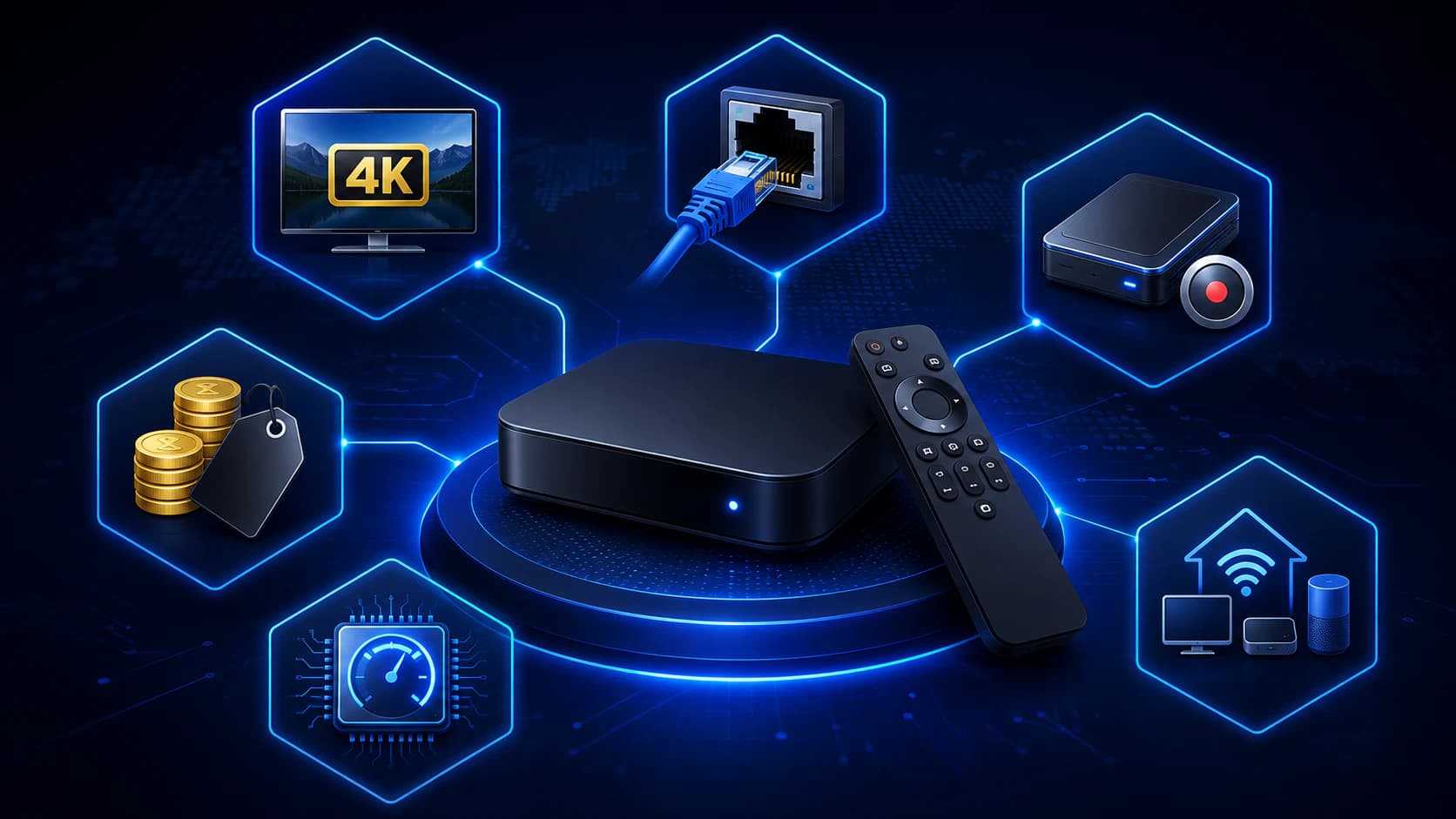
The basic installation is simple.
- Connect the box to the television with HDMI.
- Connect the power adapter.
- Select the correct HDMI input.
- Pair the remote control.
- Choose Wi-Fi or Ethernet.
- Install available software updates.
- Sign in to the app store.
- Install your preferred IPTV app.
- Add your account or playlist.
- Test several channels and picture qualities.
Use a wall outlet when possible instead of a weak USB port on the television.
Some devices do not receive enough power from the TV USB port and may restart or behave unpredictably.
Best Settings After Installation
Resolution
Set the box to the television’s native resolution.
Use 4K when the TV, box, and source all support it.
Refresh Rate
Automatic frame-rate matching can reduce judder on compatible apps and televisions.
HDR
Allow HDR to switch automatically when possible.
Forcing HDR permanently can make normal SDR channels look unnatural.
Audio
Use automatic audio or passthrough when the television, soundbar, and app support it correctly.
Switch to stereo if a channel has picture but no sound.
Network
Use Ethernet whenever possible.
If you use Wi-Fi, choose 5 GHz at short range with a strong signal.
What If the New Box Still Buffers?
A new box does not fix every problem.
Check:
- Does the same channel work on other devices?
- Is Ethernet better than Wi-Fi?
- Is the internet speed stable?
- Is someone else heavily using the connection?
- Is the account active on another device?
- Does only one channel have problems?
- Is the box updated?
- Is hardware decoding enabled?
- Does another IPTV app work better?
- Is the source server overloaded?
Use our complete checklist: IPTV not working.
Frequently Asked Questions
What Is the Best IPTV Box?
For most users, the Google TV Streamer 4K is the best all-round choice.
For premium use, choose NVIDIA Shield TV Pro. For dedicated IPTV, the Formuler Z11 Pro Max is a strong option.
What Is the Best Cheap IPTV Box?
The Xiaomi TV Box S 3rd Gen offers a strong combination of Google TV, 4K, 32 GB storage, and Wi-Fi 6.
What Is the Best IPTV Box for TiviMate?
Google TV Streamer is our first choice.
NVIDIA Shield TV Pro is better for power users, while Xiaomi TV Box S is a more affordable alternative.
Which IPTV Box Has Ethernet?
Google TV Streamer, NVIDIA Shield TV Pro, and Formuler Z11 Pro Max include built-in Ethernet.
With Apple TV, choose the 128GB model for Gigabit Ethernet.
Is 2 GB RAM Enough for IPTV?
Yes. For one normal stream on a well-optimized device, 2 GB may be enough.
Three or four gigabytes is more comfortable for very large playlists and heavy multitasking.
Do I Need a 4K Box for a Full HD Television?
No.
A 4K box will normally work on a Full HD TV, but you will not see 4K without a 4K television.
Can I Install TiviMate on Apple TV?
No. TiviMate is not available for tvOS.
Use another suitable IPTV app from the Apple App Store.
Can I Install TiviMate on Formuler?
Formuler is mainly designed around MYTVOnline3.
App support may differ by model and software version. Choose Formuler mainly when you want to use MYTVOnline3.
Is Fire TV Stick Good for IPTV?
Yes, especially as a compact and affordable option.
For Ethernet, USB storage, and straightforward TiviMate installation, a full Google TV box is more practical.
Is a MAG Box Still a Good Choice?
A MAG receiver may suit a specific portal-based service.
For most users, Google TV, Android TV, or Formuler is more flexible because of the wider app selection.
Does an IPTV Box Need Widevine L1?
Widevine L1 is mainly important for high resolutions in supported commercial streaming apps.
It is not always decisive for a personal M3U stream, but certification remains a positive sign.
How Much Internet Speed Does an IPTV Box Need?
Keep approximately 15 to 25 Mbps available for Full HD and 35 to 50 Mbps for 4K.
Stability matters more than peak speed.
Can I Use One IPTV Box on Several Televisions?
Not independently at the same time unless you physically move the box or use an HDMI distribution system.
For independent viewing, each television needs its own app or box.
Does an IPTV Box Automatically Include Channels?
No.
A normal box is only the device. You add your own lawfully obtained app, playlist, or subscription.
Final Verdict: Which IPTV Box Should You Buy?
The best IPTV box is not the same for everyone.
Choose Google TV Streamer When:
- you want the best all-round experience;
- TiviMate is important;
- you want 32 GB storage;
- you want built-in Ethernet;
- you combine IPTV with normal streaming.
Choose NVIDIA Shield TV Pro When:
- you want powerful hardware;
- USB and network storage matter;
- you record or use multiview;
- price is less important.
Choose Formuler Z11 Pro Max When:
- you want a dedicated IPTV interface;
- you prefer MYTVOnline3;
- recording and timeshift matter;
- you want a traditional receiver experience.
Choose Xiaomi TV Box S 3rd Gen When:
- you want the best value for money;
- Wi-Fi works well;
- you want TiviMate through Google Play;
- you are not a heavy power user.
Choose Fire TV Stick 4K Max When:
- you need a compact and affordable option;
- you want to carry the device easily;
- you do not need many connections.
Choose Apple TV 4K When:
- you already use Apple devices;
- tvOS and AirPlay matter;
- you do not need TiviMate;
- you have selected a suitable tvOS IPTV app.
Our overall winner is the Google TV Streamer 4K.
It offers the best balance of app support, storage, speed, Ethernet, and ease of use.
At iptv-netherland.com, we help customers not only access IPTV but also complete the installation and configuration of their devices.
Would you like to test your new IPTV box with your own internet connection and television first?
Compare our IPTV subscriptions, view the Dutch IPTV channel list, or request a free trial account.
This allows you to evaluate the app, picture quality, and stability before choosing a longer subscription.
Written by
IPTV Netherland Editorial Team
IPTV setup and streaming support
Our editorial team writes practical IPTV guides for viewers in the Netherlands, with a focus on device setup, stable streaming, app configuration, and clear troubleshooting steps.
Useful IPTV resources
Continue with the most relevant setup, channel, and subscription pages.