




IPTV Subscription: 10 Tips Before You Pay (2026)
Planning to buy an IPTV subscription? Check these 10 points first, including trials, channels, devices, connections, payments, support, and reliability.
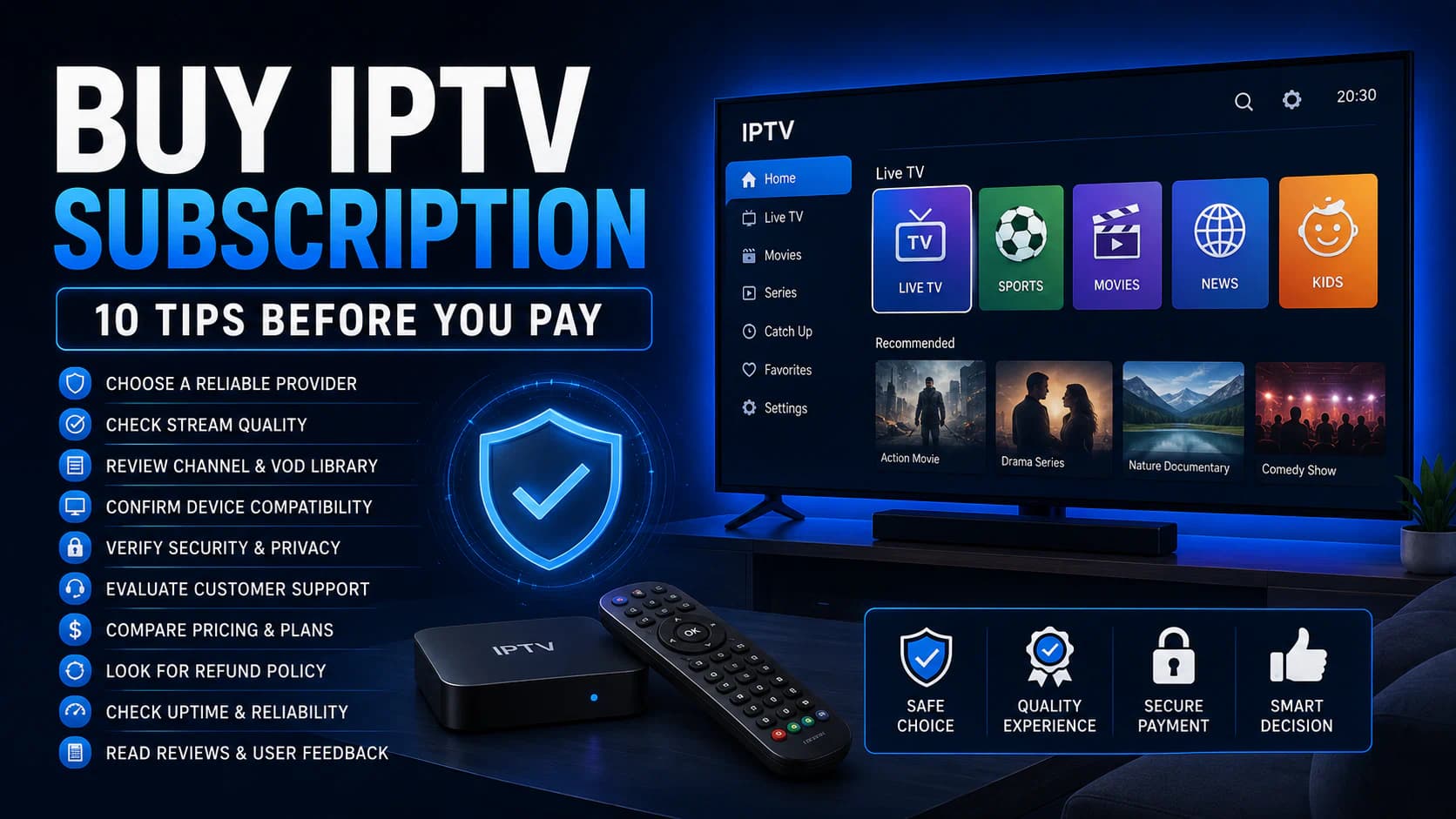
Buying an IPTV Subscription: 10 Tips Before You Pay
Are you planning to buy an IPTV subscription?
It is tempting to focus mainly on the number of channels and the lowest price.
That is exactly where many buyers make the wrong choice.
A provider may advertise thousands of channels without explaining picture quality, simultaneous connections, support, or compatibility with your television. A service may work well during a short demonstration but become unstable during live sport or busy evening hours. And a cheap annual plan becomes expensive when the seller stops responding after payment.
A good IPTV subscription should match:
- your television or streaming box;
- the app you want to use;
- your internet connection;
- the channels and languages you actually watch;
- the number of devices in your home;
- your need for films, series, EPG, and catch-up;
- your preferred subscription length;
- your budget;
- the level of risk you are willing to accept.
In this guide, you will find ten practical checks to complete before paying.
You will learn not only what to look for, but also which questions to ask the provider and what to test during a trial account.
Important: IPTV is a method of delivering television over the internet. The technology itself is legal. Whether a specific service is lawful depends in part on whether the provider has the rights and licenses to distribute the content. Only buy access when you can reasonably determine that the provider is permitted to offer the channels and media.
Quick Answer: Check These Points Before Buying IPTV
Do you want the short checklist first?
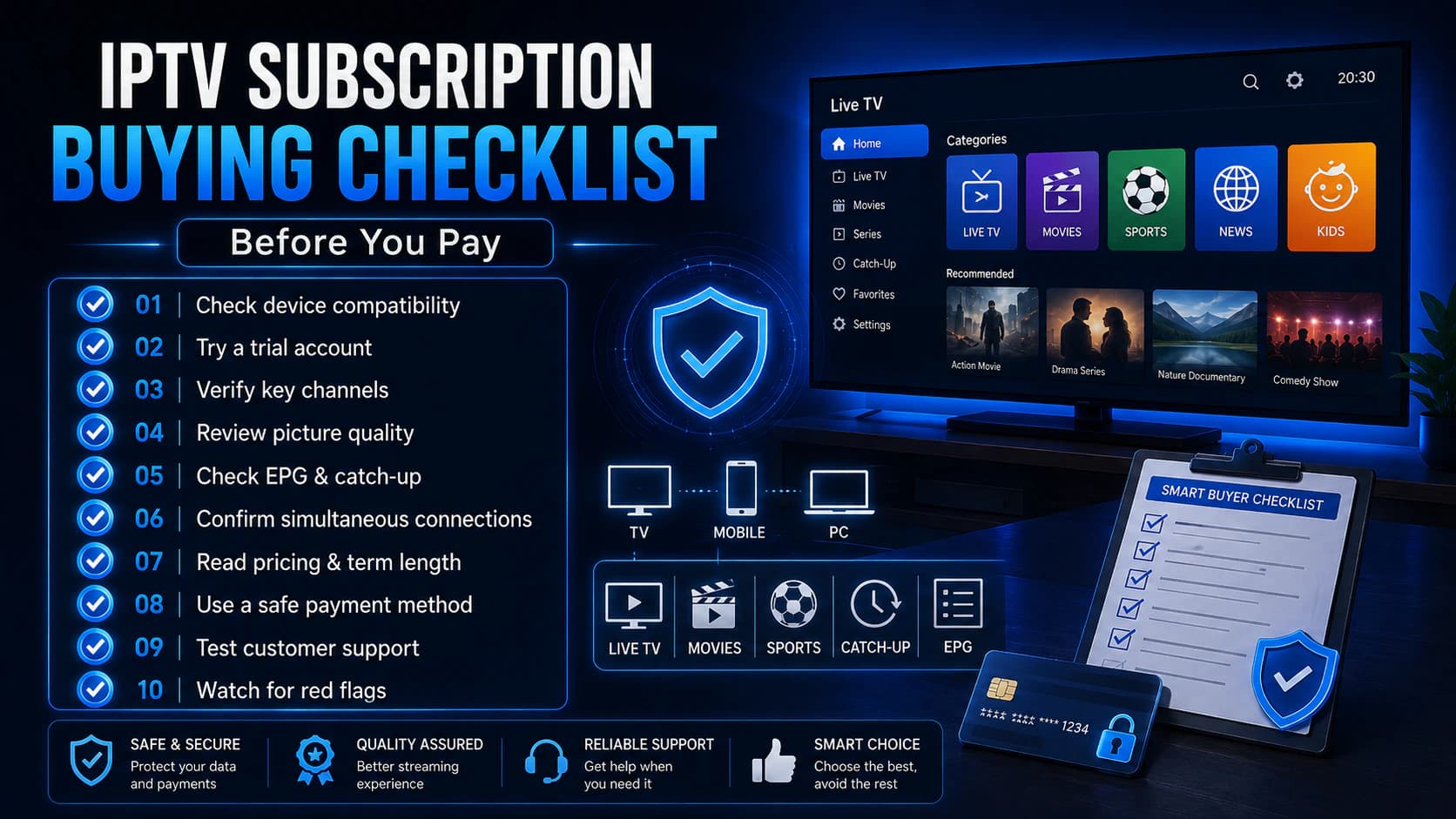
Do not pay until you have checked these ten points:
- Does the service work on your television, box, and preferred app?
- Can you use a real trial account before paying?
- Are the channels you actually want available and working?
- Is it clear who the provider is and how to contact them?
- Do you understand the subscription length, renewal, and cancellation terms?
- How many simultaneous connections are included?
- Are picture quality, EPG, catch-up, and video-on-demand good enough?
- Can you pay through a safe and traceable payment method?
- Does support respond before you become a customer?
- Is the offer realistic, or does it sound too good to be true?
The most important rule is simple:
Test first, pay afterward, and start with a short subscription when you are unsure.
Why Buying IPTV Requires More Attention Than Installing a Normal App
With a normal streaming service, you usually buy directly from a well-known company.
The application, payment, customer service, and content rights are handled by the same organization.
With IPTV, the situation may be different.
You may be dealing with separate parties for:
- the IPTV provider;
- a reseller;
- an external IPTV app;
- an app license;
- a streaming box;
- a payment service;
- an installer;
- a portal or playlist manager.
As a result, it is not always immediately clear who is responsible when something does not work.
A media player such as TiviMate or IPTV Smarters Pro does not normally provide channels. The app may work perfectly while the provider’s playlist or server has problems.
The opposite can also happen. A good service may appear poor when the app is configured incorrectly or the Smart TV struggles with the video format.
To understand the basics first, read What is IPTV?.
Tip 1: Check Whether the Subscription Works on Your Device and App
Not every IPTV account works with every application.
Before buying, ask which access method you will receive.
Common methods include:
- Xtream Codes;
- M3U or M3U8 link;
- Stalker Portal;
- MAC- or device-based access;
- a proprietary app supplied by the provider.
Ask Exactly What You Will Receive
Do not ask only:
“Does it work on Smart TV?”
That question is too broad.
Ask:
“Will I receive Xtream Codes, an M3U link, or a portal?”
And:
“Will this work with TiviMate on Google TV?”
Or:
“Can I add the playlist to IBO Player on my LG television?”
Samsung TV
Samsung televisions normally use Tizen.
A standard Android APK does not run directly on Tizen. You therefore need an app from the Samsung App Store or an external Android TV or Google TV device.
Read our guide to choosing an IPTV app for Samsung TV.
LG TV
LG televisions normally use webOS.
A standard Android APK does not run directly there either.
Check whether the required player is available in the LG Content Store. Otherwise, read our guide to choosing an IPTV app for LG TV.
Android TV and Google TV
These platforms usually offer the broadest app selection.
You can often use TiviMate, Smarters versions, and other media players.
For live television and an advanced EPG, many users prefer TiviMate. For a simpler dashboard with separate sections for live TV, movies, and series, Smarters Pro may be easier.
Read our comparison: TiviMate vs IPTV Smarters Pro.
Apple TV
TiviMate is not available for tvOS.
Before paying, confirm that the service works with the IPTV app you intend to use on Apple TV.
Do You Own an Older or Slower Television?
An external streaming device may be the better investment.
See our buyer’s guide to the best IPTV box.
Your Compatibility Checklist
Ask before paying:
- Which login method will I receive?
- Which apps are supported?
- Do I pay separately for the app?
- Does it work on my exact television model?
- Can I change apps later?
- Will I receive installation instructions?
- Is an external player supported?
Do not pay until you understand exactly how the service will be added to your device.
Tip 2: Ask for a Trial Account First
A trial account is the best way to verify marketing claims.
A screenshot, channel list, or video demonstration does not prove how the service will perform on your own internet connection and device.
What Should a Useful Trial Show?
During the trial, you should be able to check:
- whether the login works;
- how quickly the channel list loads;
- whether your most important channels are present;
- channel-switching speed;
- whether the EPG is correct;
- whether subtitles work;
- whether the required audio languages are available;
- whether films and series open;
- how the service performs during the evening;
- whether live sport remains stable.
Do Not Test for Only Five Minutes
A quick test in the morning tells you little about evening performance.
Test preferably:
- during the day;
- at the time you normally watch;
- during a busy live event;
- through your normal Wi-Fi or Ethernet connection;
- on the device you actually plan to use.
Use Your Own Network
Do not rely only on a smooth demonstration video sent by the seller.
The relevant question is whether the service works in your home.
Your experience is affected by:
- internet speed;
- Wi-Fi;
- router;
- TV box;
- app;
- decoder;
- distance and routing to the source server.
Read our guide to the internet speed required for IPTV before testing.
Test One Connection at a Time
If the trial includes only one active connection, close the app completely on other devices.
Otherwise, you may mistake a connection-limit issue for a technical failure.
A Trial Is Not a Long-Term Guarantee
A successful trial is a positive sign, but it does not guarantee that the service will remain identical for months.
That is why it is still sensible not to choose the longest subscription immediately when dealing with an unfamiliar provider.
Tip 3: Check the Channels You Actually Watch
“More than 20,000 channels” sounds impressive.
But the total number matters less than the quality of the channels you genuinely use.
A playlist may include:
- duplicate channels;
- several quality versions of the same channel;
- regional variations;
- offline streams;
- test channels;
- languages you never watch;
- old or incorrectly labeled sources.
Make Your Own List Before the Trial
Write down ten to twenty important channels.
For example:
- Dutch national channels;
- regional channels;
- Belgian channels;
- sports channels;
- children’s channels;
- news;
- international channels;
- specific language packages.
Then test every important channel during the trial.
Look Beyond the Channel Name
A channel labeled “FHD” is not automatically genuine Full HD.
Check:
- sharpness;
- frame rate;
- aspect ratio;
- audio quality;
- synchronization between sound and picture;
- stability;
- whether the actual programming matches the name.
Check Regional and Sports Content Carefully
Sports rights and regional availability can change.
Do not rely only on an old PDF or screenshot of the channel list.
Open the specific channels during the trial.
Films and Series
If video-on-demand matters to you, test:
- search;
- categories;
- recent titles;
- audio languages;
- subtitles;
- episode order;
- resume playback;
- picture quality;
- loading time.
A huge library has little value when titles are poorly organized or fail to play.
Ask How Often the List Is Updated
A transparent provider can normally explain:
- how often channels are checked;
- how to report a broken channel;
- how quickly reports are handled;
- whether the channel list may change.
Nobody can guarantee that every external source will remain online at all times. Be cautious with claims such as “100% uptime on every channel.”
Tip 4: Check Who the Provider Is
Know who you are doing business with.
That does not mean every small provider is unreliable. It means you should gather enough information before sending money.
Review the Website
Look for:
- company name;
- contact page;
- email address on the provider’s own domain;
- terms and conditions;
- privacy policy;
- refund policy;
- clear product information;
- delivery information;
- support details.
A polished website or HTTPS padlock is not proof that the seller is trustworthy.
HTTPS secures the connection to the website. It does not automatically prove that the business is honest.
Verify Contact Information
Ask yourself:
- Does the email address respond?
- Is there more than a Telegram or WhatsApp account?
- Does the company name match the invoice and payment?
- Does the telephone number look legitimate?
- Are there conflicting names or addresses?
- Will you receive an order confirmation?
Search for Previous Reports
In the Netherlands, the police provide a Check de (ver)koper tool. You can search by URL, email address, phone number, or IBAN to see whether reports are known.
A clean result does not prove that a seller is safe. A new or unreported provider can still create problems.
A negative report is, however, a strong reason to be extra cautious.
Read Reviews Critically
Look at the pattern, not only the average rating.
Suspicious signs include:
- many reviews posted on the same day;
- repeated wording;
- only extremely short five-star reviews;
- no mixed experiences at all;
- reviews that mostly share discount codes;
- accounts that discuss only that provider.
Search for independent experiences outside the provider’s own website.
Check the Domain’s History
A new domain does not automatically mean fraud.
However, a seller claiming ten years of experience while using a recently registered domain should be able to explain the discrepancy.
Use domain history as one signal, not as final proof.
Tip 5: Read the Subscription Length, Renewal, and Cancellation Terms
A low monthly price may apply only when you pay for a full year in advance.
Always calculate the total amount.
Ask for the Exact Subscription Length
Possible options include:
- 24 hours;
- one week;
- one month;
- three months;
- six months;
- twelve months.
Ask when the subscription begins:
- immediately after payment;
- after activation;
- after first login;
- on an agreed date.
Automatic Renewal
Check whether the plan renews automatically.
Ask:
- How do I cancel?
- How far in advance?
- Will another payment be taken automatically?
- Will I receive a reminder?
- Can I disable renewal?
Refund Policy
Read what happens when:
- the login is never delivered;
- the service does not work on your device;
- important channels are missing;
- the account stops before the agreed date;
- you pay twice;
- you choose the wrong app or package.
A trial account reduces disputes about compatibility.
Cooling-Off Periods for Digital Services
Consumers often have a cooling-off period for online purchases. However, digital content and services may be treated differently, particularly when delivery begins immediately after the consumer explicitly agrees and acknowledges that the right to withdraw may be lost.
Do not automatically assume that you can cancel free of charge for fourteen days after the account has already been activated.
Read the terms before activation and consult the relevant consumer-protection authority when unsure.
Keep Evidence
Save:
- order confirmation;
- invoice;
- payment receipt;
- chat conversation;
- promised channel list;
- subscription length;
- the terms shown on the purchase date;
- delivery email.
Take screenshots when useful.
This helps if you later need to prove what was promised.
Tip 6: Check the Number of Simultaneous Connections
This point is frequently misunderstood.
“Works on five devices” does not automatically mean you can watch on five devices at the same time.
Devices vs. Connections
An account may be installed on:
- the living-room TV;
- the bedroom TV;
- a phone;
- a tablet;
- a laptop.
But the subscription may permit only one active stream.
Opening the second TV may cause the first one to stop.
Ask Specifically:
- On how many devices may I install the account?
- How many streams may be active at the same time?
- Does recording count as an extra connection?
- Does multiview count as several streams?
- Can I watch outside the home?
- Must every device use the same IP address?
- Can I add another connection later?
Multiview
Do you want to display four sports channels at once in TiviMate?
The app may open four streams.
Your internet connection, TV box, and subscription must all support that.
Recording While Watching
Recording one channel while watching another may require two simultaneous connections.
Ask before buying if recording matters to you.
Households With Several Televisions
Calculate realistically how many screens are active at the same time.
For a family, a slightly more expensive package with two or three connections may be more practical than constantly closing apps.
Additional streams also require more internet capacity.
Tip 7: Evaluate Picture Quality, EPG, Catch-Up, and Stability
A channel opening successfully does not automatically mean the service is good.
The daily experience depends on several parts.
Picture Quality
Check:
- SD, HD, Full HD, or 4K;
- motion clarity;
- compression blocks;
- frame rate;
- audio;
- lip synchronization;
- aspect ratio.
Test live sport in particular because fast movement reveals quality problems quickly.
EPG
The electronic program guide should be useful.
Check:
- correct program title;
- correct times;
- correct channel mapping;
- how many days are available;
- loading speed;
- whether the information is current.
An app cannot create missing guide information by itself. The source data must be provided correctly.
Catch-Up
Catch-up allows you to watch programs after they have aired.
Ask:
- Which channels support catch-up?
- How many days remain available?
- Does it work through the EPG?
- Is catch-up included in the package?
- Does catch-up use another connection?
Test it during the trial if it matters to you.
Channel-Switching Speed
You do not need a stopwatch, but pay attention to the experience.
If every change takes a long time, possible causes include:
- source stream;
- buffer setting;
- app;
- device;
- internet route.
Stability
Test several channels for longer periods.
A stream that opens in thirty seconds may still freeze after twenty minutes.
If you experience problems, use our guide to watching IPTV without buffering.
Test Several Quality Levels
If a Full HD channel freezes, test the HD or SD version.
This helps identify whether bandwidth or hardware is involved.
Tip 8: Choose a Safe and Traceable Payment Method
The payment method does not determine whether the service is good.
However, a safe and traceable payment can offer additional protection when the seller fails to deliver.
Prefer Established Payment Methods
Depending on the seller and your country, options may include:
- credit card;
- PayPal with applicable buyer protection;
- a recognized payment provider;
- payment after delivery when available;
- a normal business bank transfer.
The level of protection varies by payment method and situation.
Read the terms of the payment provider.
Be Extra Careful With:
- cryptocurrency only;
- gift cards;
- prepaid codes;
- payments to constantly changing personal accounts;
- a payment link on an unfamiliar domain;
- pressure to pay immediately;
- requests to share online-banking credentials;
- software installation for “payment help.”
Cryptocurrency is not automatically fraudulent. The concern is that payments are normally difficult to reverse.
Check the Payment Page
Verify:
- the domain name;
- the amount;
- the currency;
- the seller’s name;
- the secure connection;
- unexpected redirects.
Open your banking app yourself when unsure.
Do not click a second link sent by chat after payment to supposedly “confirm” the transaction.
Pay for a Short Period First
With an unfamiliar provider, one month is often safer than paying for a year.
The monthly price may be higher, but your risk is lower.
After a longer positive experience, you can consider a longer plan.
Save the Payment Receipt
Record:
- transaction number;
- date;
- amount;
- recipient;
- payment description;
- package;
- subscription length.
Tip 9: Test Support Before Paying
Good support matters, especially if you are not technical.
Do not wait until after payment to discover that nobody responds.
Ask a Real Question Before Buying
For example:
- Which app do you recommend for my LG TV?
- Will I receive Xtream Codes or M3U?
- How many connections are included?
- Can I use TiviMate?
- What should I do if the EPG is empty?
- Is installation assistance included?
Do not judge only by response time.
Check whether the answer:
- actually addresses your question;
- is technically logical;
- is more than a sales pitch;
- mentions realistic limitations;
- avoids impossible guarantees.
Support Channels
Check whether assistance is available through:
- email;
- WhatsApp;
- live chat;
- ticket system;
- phone;
- installation guides.
One channel may be enough when it is managed reliably.
Expectations for Support
Ask about:
- opening hours;
- average response time;
- support language;
- installation assistance;
- reporting broken channels;
- weekend support;
- support during major sports events.
Be Careful With Remote-Access Requests
A support agent does not normally need full access to your computer, phone, or bank account to configure an IPTV app.
Be very cautious when an unknown person asks you to install remote-control software.
Never share:
- bank login;
- PIN;
- verification code;
- identity document without a clear reason;
- complete credit-card information through chat.
Self-Installation or Installation Service
A provider with clear installation guides shows that its processes are organized.
Read our setup guides for TiviMate and IPTV Smarters Pro to understand which details you should receive.
Tip 10: Recognize Unrealistic Promises and Start With a Short Plan
Not every enthusiastic advertisement is fraudulent.
However, a combination of unrealistic claims should make you cautious.
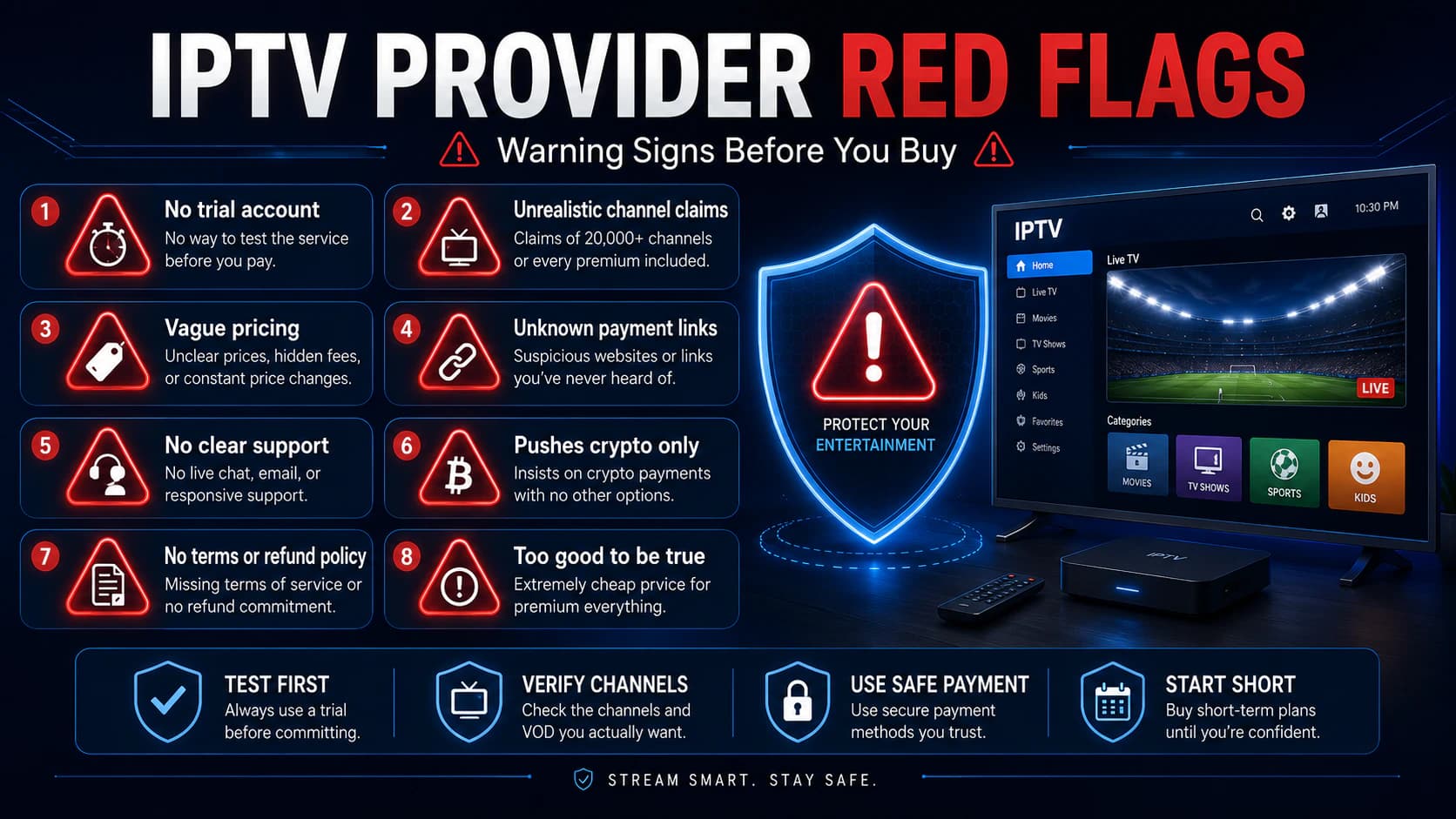
Red Flags
Watch for statements such as:
- “Never buffers, guaranteed.”
- “Every channel worldwide forever.”
- “Lifetime subscription for one small payment.”
- “100% legal” without explaining content rights.
- “You must pay within ten minutes.”
- “90% discount today only.”
- “No trial available, just trust us.”
- “Every premium sports channel for almost nothing.”
- “Install this modified APK outside the official store.”
- “Pay with gift cards or send cryptocurrency to this wallet.”
One sign alone may not prove anything.
Several signs together are a good reason not to pay.
A Realistic Provider Also Mentions Limitations
A credible explanation may state:
- that channel lists can change;
- that internet quality affects playback;
- that devices support different codecs;
- that the trial is limited;
- that an app license may be separate;
- that additional streams require another package;
- that technical outages can happen.
Start With a Short Subscription
When unsure:
- Use a trial account.
- Buy one month afterward.
- Test during normal and busy hours.
- Evaluate support.
- Check renewal behavior.
- Consider a longer plan only after that.
A large twelve-month discount is not valuable when the service stops meeting your needs after a few weeks.
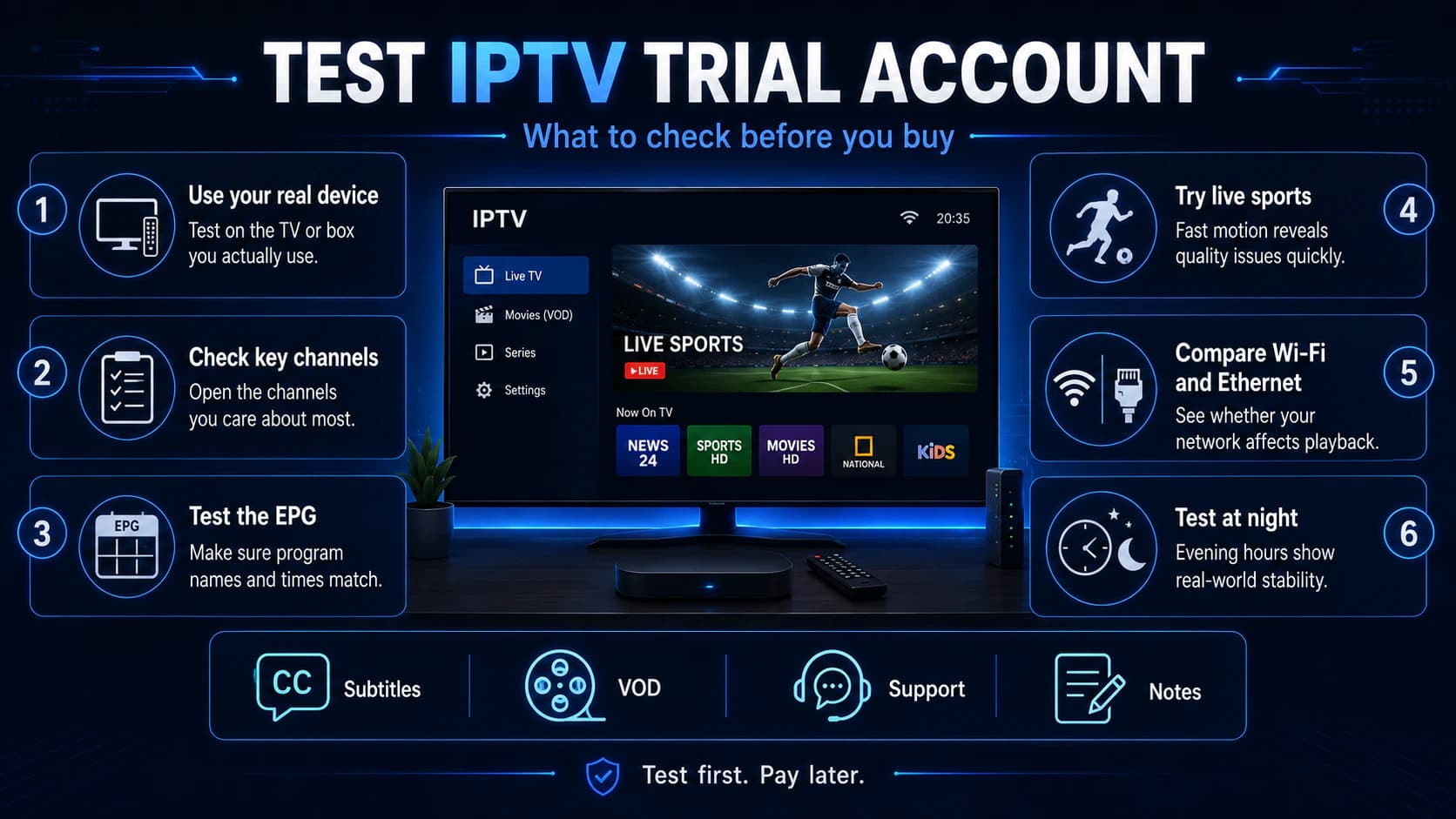
How to Test an IPTV Trial Account Step by Step
A trial account is most useful when you test it systematically.
Follow this order.
Step 1: Add the Account to the Device You Will Actually Use
Do not test only on a phone if you intend to watch on a Samsung TV or Android box.
Test the complete setup.
Step 2: Check the Channel List
Open your ten most important channels.
Check the name, picture, sound, and stability.
Step 3: Test the EPG
Compare the program title with what is actually being broadcast.
Check several channels.
Step 4: Test Sport or Fast-Moving Content
Look for:
- blockiness;
- low frame rate;
- freezing;
- audio delay.
Step 5: Test Films and Series
Open several titles and episodes.
Check subtitles and audio language.
Step 6: Test During the Evening
A test at 11:00 a.m. is not enough if you normally watch at 9:00 p.m.
Step 7: Compare Wi-Fi and Ethernet
If Ethernet works well but Wi-Fi does not, the home network is probably the issue rather than the subscription itself.
Step 8: Test Support
Ask a small but genuine question.
Evaluate the response.
Step 9: Close Other Devices
Prevent the connection limit from affecting your test.
Step 10: Record the Results
Use a simple table:
Questions to Ask an IPTV Provider
You can adapt and send this message:
Hello, I would like to test the subscription on my own device first. Could you confirm which login method I will receive, which apps are supported, how many simultaneous connections are included, and whether a trial account is available? I watch on [device] using [app]. I mainly want to test [channels or features]. Please also confirm the subscription length, renewal conditions, and any separate app fees.
A transparent provider should normally be able to answer these questions.
Be careful when the response is only:
“Everything works, best quality, pay now.”
Monthly, Quarterly, or Annual Subscription?
One Month
Advantages:
- low risk;
- easy to change;
- suitable for testing support and stability.
Disadvantages:
- higher monthly price;
- more frequent renewal.
Three Months
Advantages:
- reasonable balance;
- enough time to assess stability;
- often slightly cheaper.
Disadvantages:
- more money paid in advance.
Six or Twelve Months
Advantages:
- usually a lower monthly price;
- less frequent renewal.
Disadvantages:
- greater risk if quality declines;
- less flexibility;
- larger loss if the provider disappears.
Our Practical Approach
With a provider you do not know:
- Trial account first.
- Then one month.
- After that, no more than three months.
- Consider a longer period only after a clearly positive experience.
Cheap IPTV vs. Good Value
The cheapest service is not automatically the best value.
Calculate real value based on:
- usable channels;
- stability;
- connections;
- support;
- EPG;
- catch-up;
- app costs;
- installation help;
- video library;
- subscription length.
Example
Provider A costs €30 per year but offers:
- no trial;
- one connection;
- unclear support;
- many broken channels.
Provider B costs €12 per month but offers:
- trial account;
- clear app support;
- stable important channels;
- fast assistance;
- transparent terms.
The more expensive option may provide better value.
Use price as one part of the comparison, not the only factor.
Hidden Costs to Check in Advance
Ask whether you must pay separately for:
- IPTV app license;
- additional connection;
- 4K package;
- movies and series;
- catch-up;
- installation;
- streaming box;
- shipping;
- renewal;
- account transfer;
- activation on a new device.
App Licenses
IBO Player, selected Smarters versions, and other media players may require their own license or activation.
That payment goes to the app developer or app service, not automatically to the IPTV provider.
TiviMate Premium is also a separate purchase for application features.
Streaming Box
Check whether the offer includes only the subscription or hardware as well.
A “free box” may be included indirectly in the subscription price.
How Can You Recognize a Lawful IPTV Service?
There is no simple badge that proves every service is lawful.
Look for transparency.
A legitimate provider can normally explain:
- who the organization is;
- what service is being sold;
- which content is available;
- under which terms;
- in which region;
- how billing works;
- how to cancel;
- how privacy is handled.
Extreme Offers as a Warning Sign
A very cheap package containing almost every premium channel, sports competition, and new cinema release worldwide should make you cautious.
That is not a legal judgment about a specific provider. It is a practical risk check.
European law-enforcement agencies have taken action against several illegal streaming networks in recent years. Consumers using unofficial services may also face fraud, phishing, data misuse, and sudden service loss.
Technology and Content Rights Are Different Questions
An M3U link, Xtream Codes login, or IPTV box is not illegal by itself.
The important question is whether the content is distributed with permission.
What Should You Do If Nothing Arrives After Payment?
Follow these steps:
- Check spam and junk mail.
- Confirm that the payment address was correct.
- Contact the seller in writing.
- Request delivery or a refund within a reasonable period.
- Save all communication.
- Contact your payment provider.
- Report suspected fraud to the relevant authorities.
- File a police report when you believe you were scammed.
In the Netherlands, useful sources include:
- Politie.nl;
- ACM ConsuWijzer;
- Fraudehelpdesk;
- your bank or payment provider.
The Dutch police advise consumers to check a seller in advance and report online-shopping fraud when necessary.
What Should You Do If the Subscription Does Not Work?
First determine where the problem is.
Login Fails
Check:
- server address;
- port number;
- username;
- password;
- subscription status;
- accidental spaces;
- maximum number of connections.
Channel List Opens but Streams Do Not
Test:
- another channel;
- another app;
- another decoder;
- Ethernet;
- another device;
- a mobile hotspot.
Only Some Channels Fail
Report the exact channel name, time, and app to support.
Everything Buffers
Check your network and device.
Use our guide IPTV not working for a complete troubleshooting process.
Buying Checklist to Save
Check each point:
- I know which login method I will receive.
- My device and app are supported.
- I tested the service myself.
- My important channels work.
- EPG, audio, and subtitles were checked.
- I understand the subscription length and renewal terms.
- I know how many simultaneous connections are included.
- I know about separate app and installation fees.
- I verified the seller’s identity and contact details.
- I am using a safe payment method.
- I saved proof of the offer and payment.
- The price and promises are realistic.
- I am starting with a short subscription.
If several answers are missing, wait before paying.
Frequently Asked Questions
What Should I Check Before Buying an IPTV Subscription?
Check device compatibility, trial availability, channels, provider details, terms, connection limits, quality, payment method, support, and whether the promises are realistic.
Should I Always Use an IPTV Trial First?
It is strongly recommended.
A trial lets you check the key channels, app, EPG, picture quality, and evening stability on your own connection.
How Long Should My First IPTV Subscription Be?
Start with a trial and then a short plan, such as one month, when dealing with an unfamiliar provider.
A longer plan makes sense only after a good experience.
Which Is Better: M3U or Xtream Codes?
Xtream Codes is often easier for live TV, films, series, and EPG data.
M3U is widely supported.
The better choice depends on the app and provider.
How Many Connections Do I Need?
One connection is enough when only one device watches at a time.
Additional connections may be needed for multiple televisions, multiview, or recording while watching another channel.
Does One IPTV Subscription Work on Every Smart TV?
Not automatically.
Samsung uses Tizen, LG uses webOS, and other televisions use Android TV or Google TV.
Check app and login compatibility first.
Do I Need to Pay Separately for the IPTV App?
Some apps are free. Others require activation, a subscription, or a Premium purchase.
Ask whether app costs are included.
How Much Internet Speed Do I Need?
Keep approximately 15 to 25 Mbps available for one Full HD stream and 35 to 50 Mbps for one 4K stream.
Stability matters more than peak speed.
Does a Huge Channel Count Mean Better Quality?
No.
Usability, stability, correct naming, EPG, and the channels you actually want matter more than the total number.
Is a Lifetime IPTV Subscription a Good Idea?
Be very cautious.
The provider must continue funding servers, support, and rights. An extremely cheap lifetime offer may carry substantial risk.
Is Paying With Cryptocurrency Safe?
The technology can be secure, but the payment is normally difficult to reverse.
Use it only when you trust the recipient and understand the risk.
How Do I Check a Seller?
Review company and contact details, terms, independent reviews, and available fraud reports.
The Dutch police provide the Check de (ver)koper tool.
Can a VPN Fix Buffering?
A VPN may bypass a poor network route in some situations.
It can also slow the connection. Use it as a test, not a guarantee.
What If the Seller Stops Responding?
Save all communication, contact your payment provider, and report suspected fraud to the police or the appropriate fraud-reporting organization. Consult the relevant consumer-protection authority for your legal rights.
Is IPTV Legal?
IPTV technology is legal.
The lawfulness of a specific service depends on content rights and licensing.
What Is the Best IPTV App?
It depends on your device and preferences.
TiviMate is strong for live TV and EPG. Smarters Pro is often simpler for films, series, and beginners.
Conclusion: Test First and Do Not Buy Based on Price Alone
Buying an IPTV subscription does not need to be complicated.
You simply need to ask the right questions before paying.
The ten most important checks are:
- Device and app
- Trial account
- Important channels
- Provider identity
- Subscription length and terms
- Simultaneous connections
- Quality and features
- Safe payment
- Support
- Realistic promises
Do not be persuaded only by a huge channel count or an extreme discount.
The right choice is the service that works reliably on your own television, app, and internet connection and provides clear terms.
At iptv-netherland.com, we help customers not only access IPTV but also complete the installation and configuration of their devices.
Would you like to test the service on your own equipment first?
Compare our IPTV subscriptions, view the Dutch IPTV channel list, or request a free trial account.
This allows you to check picture quality, channels, app compatibility, and stability before choosing a longer subscription.
Written by
IPTV Netherland Editorial Team
IPTV setup and streaming support
Our editorial team writes practical IPTV guides for viewers in the Netherlands, with a focus on device setup, stable streaming, app configuration, and clear troubleshooting steps.
Useful IPTV resources
Continue with the most relevant setup, channel, and subscription pages.